
The appropriate front-end technology may make or kill a modern web project. Angular and React are popular for building rich single-page apps. At Hyfuntech, being a prominent web development firm, we have dealt with both frameworks and know how different they are. This extensive guide compares React with Angular’s architecture, data binding, performance, learning curve, and optimum use cases (previously known as AngularJS and ReactJS).
We know that Google’s Angular web framework and Facebook’s React JavaScript library are open-source. Many web developers utilize both technologies, although they take distinct methods. This article will help you choose React or Angular for your next project. This industry dispute is widespread, so we prepared this guide to assist you in making an informed decision now!
Table of Contents
What is Angular or AngularJS?
Google maintains the open-source web application framework Angular (also termed Angular 2+ to distinguish it from AngularJS). The 2016 successor to AngularJS (2010), modern Angular uses TypeScript and a component-based architecture. Angular is opinionated and comprehensive, supporting routeing, forms, HTTP requests, and more. A superset of JavaScript, TypeScript adds static typing and sophisticated tooling to Angular apps. Large, enterprise-grade single-page applications (SPAs) benefit from Angular’s organized framework and robust typing for maintainability.
Features of Angular
Developers adore Angular’s built-in features:
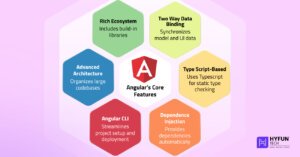
Two-Way Data Binding: Angular automatically synchronizes model and UI data. This implies the UI updates when the data model does and vice versa.
TypeScript-Based: Angular encourages its use. TypeScript’s static type checking and contemporary JavaScript capabilities catch compile-time mistakes and increase code quality.
Dependency Injection: Angular ships with dependency injection. This style automatically provides dependencies for components and services, making code more modular and testable.
Angular CLI: The powerful Angular Command Line Interface (CLI) streamlines project setup, code generation, testing, and deployment. It accelerates development and enforces best practices. React apps use Jest or other testing tools, whereas Angular’s CLI configures a Jasmine/Karma testing environment by default.
Advanced Architecture: Module, component, and service architecture gives massive codebases organization in Angular programs.
Rich Ecosystem: Angular has built-in HTTP, animations, forms, and internationalization libraries, decreasing the requirement for external solutions.
Use Cases for Angular
Its structured approach makes Angular ideal for large, complicated projects, especially in enterprise contexts. Applications that require long-term maintainability and uniformity across a large workforce benefit from it. Google, PayPal, Upwork, Forbes, and Samsung use Angular. We use Angular to construct huge dashboards, administration panels, and ecommerce sites at Hyfuntech because its opinionated architecture provides uniformity and scalability.
What is React JS or React?
Facebook (now Meta) developed and maintains React, an open-source JavaScript package. React ignores routeing and data fetching and simply builds UI components, unlike Angular. In declarative React, developers build simple, reusable components in JSX syntax (JavaScript with HTML-like elements) and then compose them into entire user interfaces. React is known for its simplicity and efficiency. A virtual DOM lets React update only the sections of a page that need to change, making it quick for dynamic content. Facebook, Instagram, Netflix, and Airbnb use React frontends.
Features of React
React has various unique features:
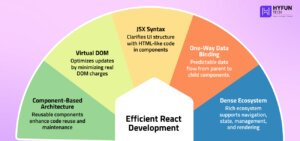
Component-Based Architecture: React UIs use reusable components that encapsulate HTML, CSS, and JavaScript. Modularity simplifies code reuse and maintenance.
Virtual DOM: To optimize updates, React employs a virtual (in-memory) DOM. React diffs the virtual DOM and makes minimal changes to the real DOM when state changes, boosting performance.
JSX Syntax: JavaScript’s JSX syntax lets you express HTML-like code directly in React components. JSX clarifies and expresses UI component structure.
One-Way Data Binding (Unidirectional Flow): Data flows from parent to child components in React, making data flow more predictable. Top-level component state updates cascade down the component tree.
Dense Ecosystem: React’s rich ecosystem includes React Router (for navigation), Redux or MobX (for state management), and Next.js (for server-side rendering). Performance-focused frameworks like Next.js and Gatsby leverage React to provide server-side rendering and static generation. Its ecosystem also relies on React Native for mobile.
Use Cases for React
React’s versatility makes it ideal for many web and mobile projects. Applications that need a dynamic interface or integration with various tools use it. Popular examples include Facebook, Instagram (developed by React founders), Netflix, Yahoo, and The New York Times. The Hyfuntech React web development team uses React to construct interactive dashboards, dynamic content sites, and cross-platform mobile apps (via React Native).
Difference Between Angular and React
Both Angular and React can develop modern web apps, but they approach it differently. Some of their significant differences are…
Architecture
Angular is an MVC framework, while React is a lightweight UI library. Angular requires a project structure and has built-in solutions, while React lets developers choose their architecture. Hygraph explains that Angular uses a structured MVC approach, while React uses a flexible component-based architecture for reusable UI components. Since it prioritizes convention over configuration, Angular enforces numerous best practices by default. React is more open-ended, letting developers choose state management, routing, and app design styles.
Language
Angular code uses TypeScript for static typing. React leverages TypeScript and JavaScript (ES6+) for components. TypeScript (like Angular) can catch problems early and improve IDE support, but it adds a layer to understand. Some teams find JavaScript easier to learn, although many large React codebases utilize TypeScript.
Data Binding
How data binding works is a major distinction. By default, Angular employs two-way data binding to sync the view (UI) and model (data). In contrast, React uses unidirectional data binding, where data travels from parent to child. React’s data flow is more predictable and debuggable. The UI in React follows state changes in a controlled one-way flow, but with Angular you can update data or UI immediately. Summary: Angular is two-way binding, React is one-way.

Performance
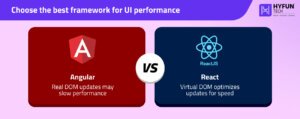
Each UI update may involve scanning and updating the browser’s document structure because Angular uses the real DOM. React batches and optimizes changes via a virtual DOM. For dynamic interfaces, React generally renders faster. React’s virtual DOM only re-renders modified elements, speeding up updates. Both frameworks continue to optimize: Angular’s new rendering engine (Ivy) and lazy loading minimize bundle size and load times. React 18 and 19 included parallel rendering and Suspense to improve UI responsiveness. React’s technique speeds up UI updates when content changes often.
Learning Curve
Overall, React offers a flatter learning curve. React is mostly about JSX, components, and optional libraries like React Router or Redux. As a comprehensive framework, Angular needs knowing TypeScript, decorators, dependency injection, modules, etc. Angular’s many features make it harder for newcomers, whereas React’s basic core makes it easier for JavaScript developers. Once learned, Angular’s built-in solutions can speed up massive app development.
Tooling and Ecosystem
Large ecosystems, different philosophies. Angular comes with most functionalities; therefore, you may not require many third-party libraries. Due to its tiny core, React uses other packages for routing, state management, and more. React employs Redux, MobX, or the Context API for state management, while Angular’s CLI may scaffold a full application with best practices for easy project creation. Create React App or Vite helps React developers set up. Angular CLI’s default unit testing framework is Jasmine/Karma, while React projects use Jest or equivalent frameworks. Angular provides a complete framework; React lets you choose tools (and take responsibility).
Community & Adoption
React has grown rapidly. According to StackOverflow, 39.5% of developers utilize React and 17.1% Angular. React has more talent and GitHub stars. This makes React developers and community solutions easier to find. Google-backed Angular is popular for corporate stability and has a robust community. Large firms like Google, Microsoft, PayPal, and Samsung employ Angular, which is still popular in banking and healthcare. Both Angular and React are mature and battle-tested, so project fit and team knowledge are more important than capacity.
(Note: some readers search for “React JS vs. Angular JS” because AngularJS (1.x) is obsolete and Angular (2+) is different. ReactJS (released in 2013) had one-way binding and a virtual DOM, while the previous AngularJS had two-way binding and a heavier framework structure.)
4. Pros & Cons
Each has several high-level pros and cons:
The Benefits of Angular
- Inbuilt routing, forms, HTTP, etc. give an all-in-one framework.
- TypeScript and two-way binding boost developer productivity and mistake detection.
- Teams working on big codebases benefit from module and component organization.
- A robust CLI and long-term Google support.
- Enterprise apps with stable needs benefit.
Disadvantages of Angular
- Many topics and complicated terminology make learning difficult.
- Less app structure freedom; more opinionated.
- The framework may be larger and slower to load (lazy loading can assist).
- Smaller projects or TypeScript beginners may struggle.
Advantages of React
- JavaScript-savvy simplicity and learning.
- Select libraries (React Router, Redux, etc.) as needed.
- Virtual DOM improves dynamic interface speed.
- Large community, many third-party libraries, and Meta corporate support.
- Great for bespoke UI and reusable components (React Native extends this to mobile).
React Disadvantages
- No built-in routing or complicated state support; requires libraries.
- Client-side rendering by default can hurt SEO (Next.js helps).
- Updating and breaking changes (library updates) require maintenance.
- If unstructured, huge React apps can become unreliable.
5. When to Use Angular or React?
The choice between Angular and React depends on project needs and team competence. These criteria are from my Hyfuntech experience:
Enterprise web apps (big teams, rigorous architecture): Angular complements complex applications that demand a robust framework. It is stable and well-structured.
Highly dynamic interfaces: Due to its quick rendering, React is ideal for dashboards and interactive data visualizations.
Team expertise: TypeScript-savvy developers from MVC backgrounds will find Angular easier. If your team favors JavaScript/JSX and flexibility, React may be faster.
Project type: React is popular for huge dynamic sites and cross-platform apps, whereas Angular is typical for interactive enterprise apps and PWAs.
SEO requirements: Both frameworks need SEO considerations. Angular apps use Angular Universal for server-side rendering, while React apps use Next.js or Gatsby for pre-rendering. It’s official: the React team endorses Next.js and Gatsby for building apps.
Mobile and cross-platform: Angular (with Ionic) and React (with React Native) offer cross-platform mobile app development. React Native generates native apps, whereas Angular leverages Ionic for hybrid apps. If your team likes Angular’s TypeScript or React’s JavaScript, this decision may vary.
Developer productivity: Angular’s CLI can scaffold a full project with commands and set up testing via Jasmine/Karma, while React developers utilize Create React App or Vite and integrate testing (like Jest).
In conclusion, React and Angular differ in trade-offs. Though Angular is more opinionated and all-in-one, React is flexible and may update faster. Professional web development business Hyfuntech has used both successfully. We might choose Angular for a massive internal admin portal and React for a consumer-facing interactive site. We can help you choose between Angular and React web development due to our knowledge. Most importantly, the right framework fits your team and project goals.
6. Final Verdict
Knowing the differences between Angular and React helps you choose. Two-way binding, a sophisticated CLI, and solid conventions make Angular a complete framework. React’s virtual DOM and component paradigm improve dynamic user interface performance and flexibility. Choose the right tool by assessing team skill set, project complexity, and required flexibility.
Hyfuntech monitors both ecosystems and advises clients. We have experience with enterprise-grade Angular and rapid React web development. The choice between React and Angular depends on project environment and preferences. We quickly adopt new Angular and React capabilities to improve customer services. Angular is good for enterprise apps, while React is good for dynamic UIs. To create a reliable, high-performance app, we customize each project.
Most importantly, the right framework fits your team and project goals.
FlutterFlow (sometimes also called “Flutter Flow”) is a visual app development platform built on Flutter. It completely changes mobile app development with its drag-and-drop, low-code uses. In practice, you design each screen’s UI and logic visually, and FlutterFlow generates the underlying Flutter (Dart) code. So if you were wondering “what is Flutter Flow?”, it’s simply the same tool – the documentation even calls it a “visual development environment” for building cross-platform apps.
At Hyfuntech, we’ve adopted FlutterFlow to speed up our flutter app development. We no longer hand-code every screen from scratch. Instead, we use pre-made widgets and visual editors. FlutterFlow launched in 2021 (built by former Google engineers) and offers many features: drag-and-drop UI design, built-in Firebase integration, animations, team collaboration tools, and more. These tools help us to cut development time by a lot.
What is FlutterFlow?
In easy words, FlutterFlow is an AI-powered, low-code platform for developing apps. It comes with a graphical interface so you add screens, widgets like buttons, text, images, lists, and a lot more things. Creators have mostly recommended this platform and said FlutterFlow helps you build mobile, web, and desktop apps incredibly fast! Behind the scenes, it writes real Flutter code so your app runs natively on iOS and Android. You can even download the complete codebase anytime.
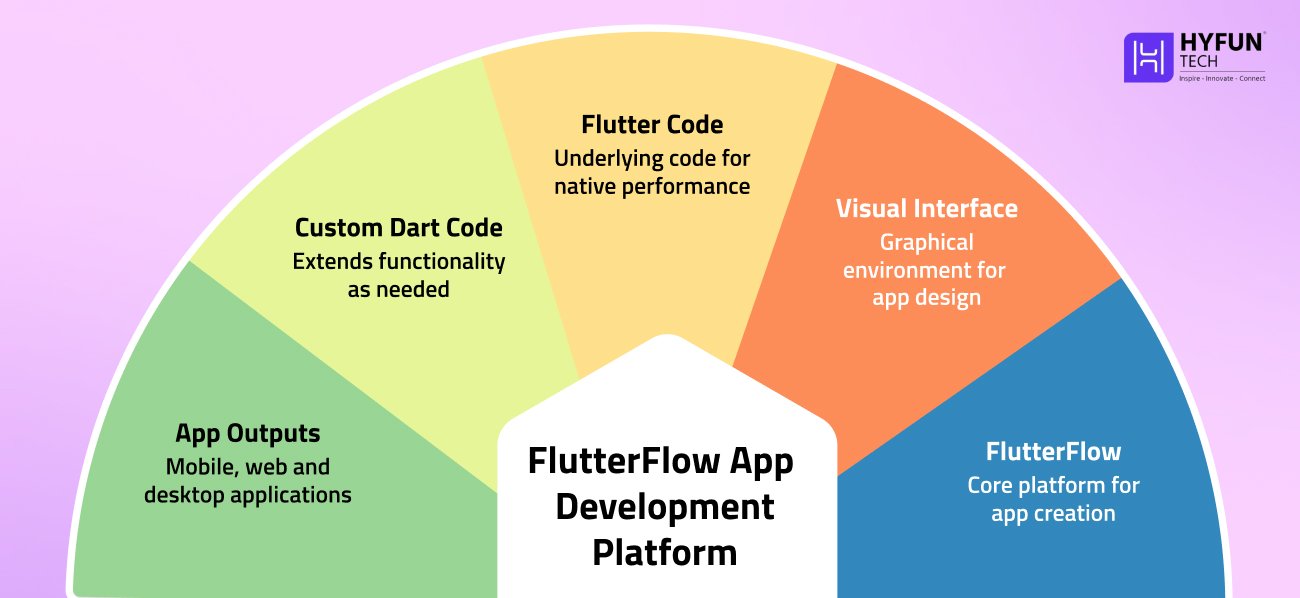
Because it’s built on Flutter, apps made in FlutterFlow look and perform like any Flutter app. You can insert custom Dart code if needed to extend functionality. In short, FlutterFlow handles many routine tasks in mobile app development, and also gives you the power of Flutter dev tools inside it.
Why Use FlutterFlow for Mobile Apps?
FlutterFlow offers several advantages that streamline creating apps. Some key benefits are:
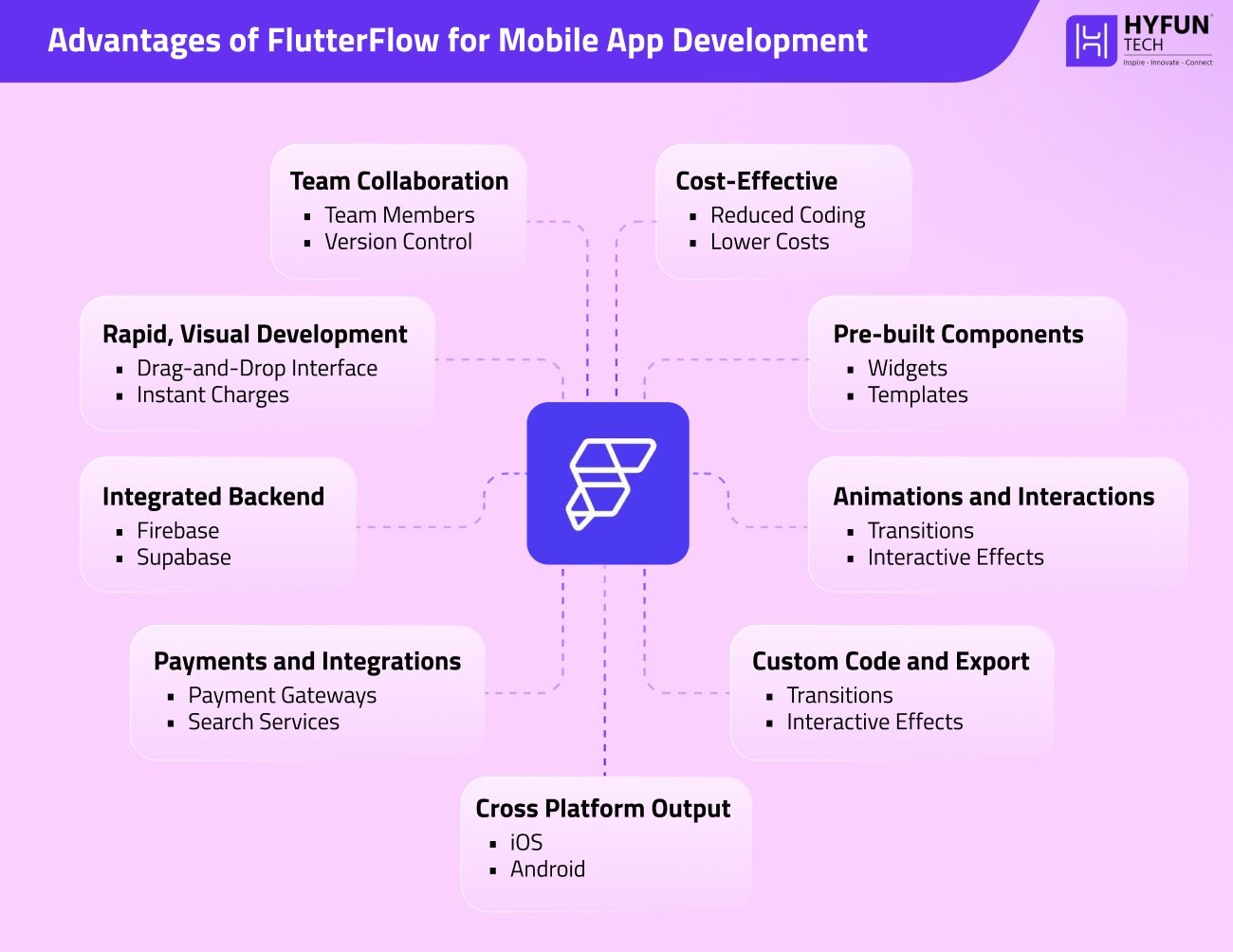
1. Rapid, Visual Development
Its drag-and-drop feature is the product’s main USP. You can set buttons, text fields, images, and other widgets quickly and see changes in preview. This dramatically speeds up prototyping compared to hand-coding. For example, many teams (like ours at Hyfuntech) turn ideas into working features in days rather than weeks. In fact, one report showed a team rebuild an app in just two months with FlutterFlow—after two years on another platform.
2. Pre-built Components
FlutterFlow comes with hundreds of ready-made widgets and templates. You can customize these instead of building from scratch. For instance, its marketplace boasts “170+ Prebuilt Components” like cards, user profiles, lists, etc. This means you can assemble common screens (login, profile, list) with minimal effort.
3. Animations and Interactions
The platform has built-in tools for animations, interaction, navigation, and more. You can add transitions effects or state how elements respond to taps. When you practically use it, this makes the UI feel so smooth and also dynamic without manual code.
4. Integrated Backend
FlutterFlow offers easy backend setup. It natively integrates with Firebase, Supabase, and REST APIs so you can set up a database, authentication, or cloud functions with a few clicks. For example, you can bind a Firestore collection to a List widget directly – FlutterFlow handles the data fetching for you.
5. Payments and Integrations
Common services are pre-integrated. You’ll find support for payment gateways (Braintree/PayPal) and search (Algolia) out of the box. In other words, building e-commerce features or search functions is much easier. You also have the freedom to connect any custom REST API if needed.
6. Custom Code and Export
Although it’s low-code, FlutterFlow generates the full Flutter (Dart) code for your app. One click downloads and opens your complete project in an IDE. Custom Functions, Widgets, and Actions let you add Flutter/Dart code if a built-in functionality isn’t adequate. This lets you expand and improve the app at any time.
7. Team Collaboration
FlutterFlow has built-in features for collaboration. You can add team members, leave comments on designs, and use version control. For example, team members can share live preview links for feedback and manage branches of the project. These tools keep our Hyfuntech teams synchronized and moving quickly.
8. Cost-Effective
By reducing manual coding, FlutterFlow can lower development costs. It’s mostly helpful for startups and small businesses which have limited resources in many cases. Users report that it often cuts project budgets because less custom code is required.
9. Cross-Platform Output
Since FlutterFlow is based on Flutter, one project can target both iOS and Android (and even the web). You build the interface once and deploy everywhere. This “build once, run anywhere” model simplifies development. (FlutterFlow even supports desktop app formats.) In practice, you maximize code reuse and reach more users without extra effort.
Lastly, it’s preferred for projects on tight schedules or with small teams, because it cuts down time spent on UI and boilerplate code. Its combination of ease-of-use and power is why our team relies on it for rapid app development.
Getting Started: Your First FlutterFlow Project
To start building, sign up at flutterflow.io. There’s a free tier for experimentation. Once logged in, you’ll see the FlutterFlow dashboard. Click Start for Free or Clone to create a new project. (The docs note that clicking “Clone” on a sample app template instantly adds that project to your account.) This gives you a working starting point.
FlutterFlow’s dashboard makes it easy to begin. For example, you can click “Clone” on a sample app template (as shown above) to import it into your workspace. You can also create a blank project with a custom name.
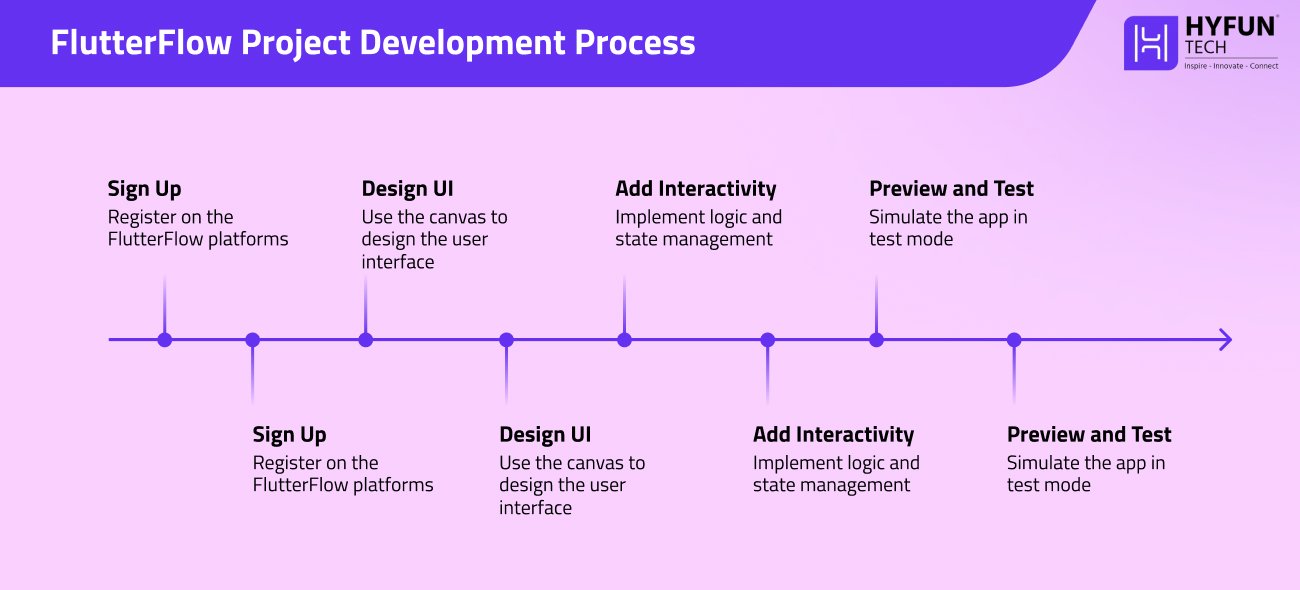
Once your project is created, follow these general steps:
1. Design the UI
Use the canvas and Widget Tree to drag UI elements onto each screen. For example, add Text, Button, Image, or List widgets. Arrange them using layout widgets (Row, Column, Stack) to form your screen layout. You can nest containers or cards inside scrollable views. As you add widgets, the live preview updates so you see how the app will look. Use the Page dropdown (left panel) to manage screens. You can add new pages for each screen of your app. To link pages, set a button’s action to “Navigate to [OtherPage]”; FlutterFlow handles the routing code automatically.
2. Style Components
After placing widgets, customize their appearance. FlutterFlow’s Properties panel lets you set fonts, colors, margins, borders, and more. You can define global Themes (colors and text styles) so your app has a consistent look. Once a style is set (like a theme color), it can be reused across pages to speed up design.
3. Add Interactivity (Logic and State)
Make your app dynamic by defining state variables and actions. A state variable holds data (like a counter or user input) that can change. For example, create an integer variable quantity to track how many items are selected. Then add Actions to widgets: e.g., set the “+” button’s onTap action to Increment quantity, and the “–” button’s action to Decrement quantity. When an action runs, any UI element bound to that state will update automatically. You can also add actions like “Navigate,” “Show Snackbar,” or “Call REST API” on events like button taps or page loads.
4. Connect Data and APIs
If your app needs external data, configure backend connections. FlutterFlow supports Firebase (Firestore, Auth) and generic REST APIs. You define a data source (such as a Firestore collection or API endpoint) and then bind that data to your UI widgets. For example, you might bind a Firestore query to a List widget to display live data from the cloud. FlutterFlow handles the networking behind the scenes, so you don’t write HTTP code.
5. Preview and Test
Use Test Mode to simulate your app live. FlutterFlow lets you run the app in a device preview, complete with hot reloading of changes. This helps you catch layout issues and logic errors early. We recommend testing every flow and user interaction as you build, since the live preview reflects exactly what would happen in the real app.
6. Run or Export
When you’re ready, use Run mode to build the app. FlutterFlow supports deploying to Android, iOS, and web. You can publish directly to the Google Play Store, Apple App Store, or even host a web version with one click. Internally, FlutterFlow uses Flutter’s build tools, so the final app performance is just like any hand-coded Flutter app. Alternatively, you can hit “Download Code” to export the project (it’s a standard Flutter codebase) and compile/build it yourself.
These steps take you from concept to a fully interactive app without manual coding. The main point is that the UI design, logic wiring, and data linking all happen in FlutterFlow’s visual builder.
Example Workflow: Building a Simple Feature
To make this concrete, let’s add a product quantity selector to a shopping app screen. In FlutterFlow, we would:
- Drag in an Image widget and a Text widget for the product photo and name.
- Add a Row containing three items: an IconButton with “−”, a Text widget showing the quantity number, and an IconButton with “+”.
- Define an integer state variable quantity, initialized to 1.
- Set the “+” button’s onTap action to Increment quantity and the “−” button’s to Decrement quantity.
- Bind the middle Text widget to display the quantity variable.
FlutterFlow’s preview will now show the number updating as the buttons are tapped. The official Quickstart demonstrates exactly this. It shows the screen before (with static UI) and after adding state/actions (dynamic updating). This example illustrates how quickly you can implement interactivity without code.
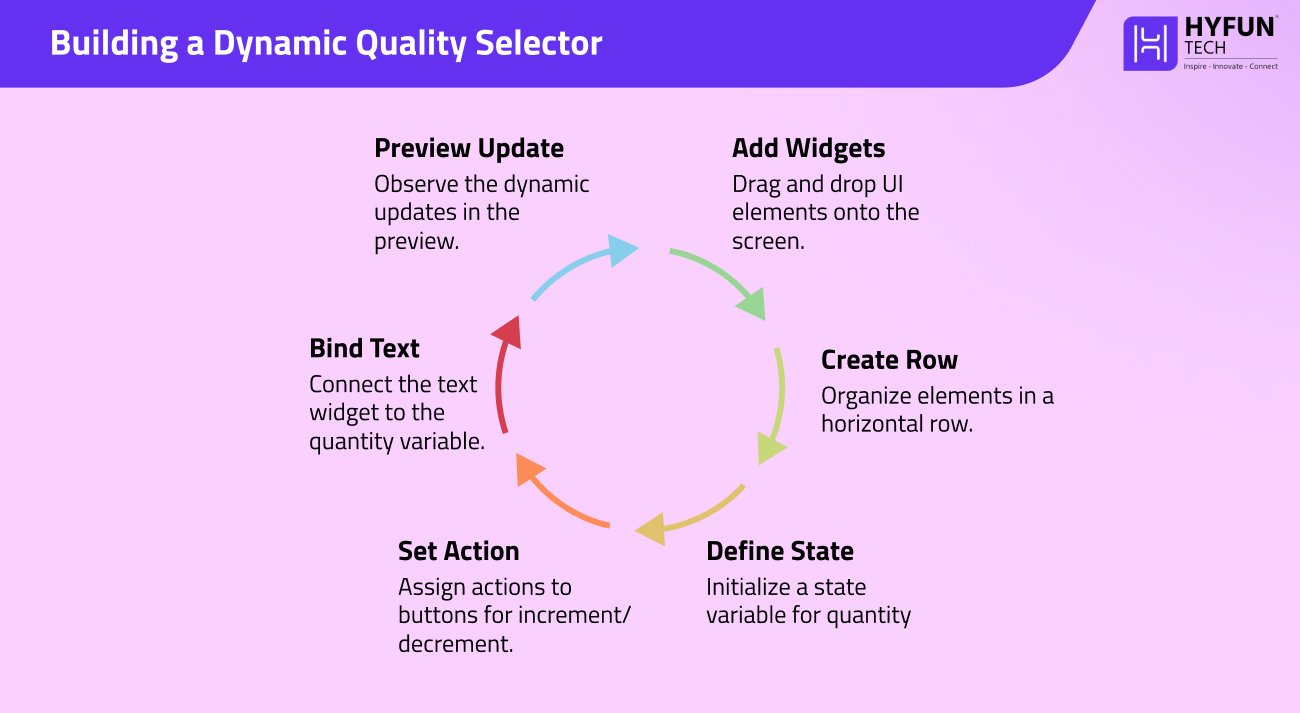
On the left is FlutterFlow’s builder (with widgets and actions set up); on the right is the running app updating the quantity. We added the state and actions to get this interactive selector, all without writing code.
After the UI and logic are set, you can hook up real data. For example, product info could come from a Firebase Firestore. Simply drag in a Firestore query and bind the product image URL and name to your Image and Text widgets. FlutterFlow will fetch the data at runtime and fill the UI, with no extra backend code.
If you need a feature outside the built-in options, FlutterFlow lets you extend with code. For instance, you can create a Custom Function, Widget, or Action by writing Dart code. We use this when a special calculation or third-party library is needed. Once you add a custom function, it appears in the action list like any built-in action.
Preview, Test, and Deployment
Testing is straightforward. In Test Mode, FlutterFlow emulates the app instantly, so you can tap through screens and see live changes. Hot Reload support means even small tweaks (like changing a color) appear immediately. This rapid feedback loop helps polish the UX early on.
When the app is ready, use Run mode. FlutterFlow will generate Android and iOS builds (or a web app). It advertises “Build once, deploy everywhere”: you can publish to Google Play, the App Store, or a web URL with a few clicks. Under the hood, FlutterFlow uses Flutter’s native build tools, so the final app runs exactly like a manually coded Flutter app.
Considerations and Limits
FlutterFlow isn’t magic – it has its limits. Its visual editor may not cover every custom scenario. If your app requires very specialized features or advanced state management, you might still need to write custom Flutter code. Similarly, for extremely large-scale apps, you should plan for optimizations: some data handling or performance tuning might be needed outside the builder. In practice, most teams use FlutterFlow for small-to-medium projects or prototypes. Even so, FlutterFlow provides exportable code and custom functions, so you’re never locked in. At Hyfuntech, we find it ideal for rapid prototyping or MVPs when speed and efficiency are top priorities.
Major FlutterFlow Concepts
Here are some terms to know when using FlutterFlow:
- Pages (Screens): Each app screen is a “Page” in FlutterFlow. You manage pages in the left sidebar.
- Widgets: The basic UI elements (Text, Image, Button, Container, etc.) that you drag onto a page. Widgets form the Widget Tree which shows the hierarchy.
- Properties Panel: Select a widget to customize its properties (colors, fonts, padding, etc.) in the panel on the right. This is how you style each element.
- Actions & State: Define behaviors by adding Actions to widgets (like button taps). State variables hold dynamic data (counters, user inputs) that can change. When you update a state variable via an action, any bound widget updates automatically.
- Navigation: Use the “Navigate” action to move between pages. For example, set a button’s onTap to Navigate to [PageX]. FlutterFlow generates the routing code for you.
- Components: You can group widgets into a reusable component. This lets you reuse a complex set of widgets on multiple screens, reducing duplication.
- Themes and Global Styles: FlutterFlow supports global design settings. You can define a Theme (colors and text styles) in the Theme Editor and apply it throughout your app for a consistent look.
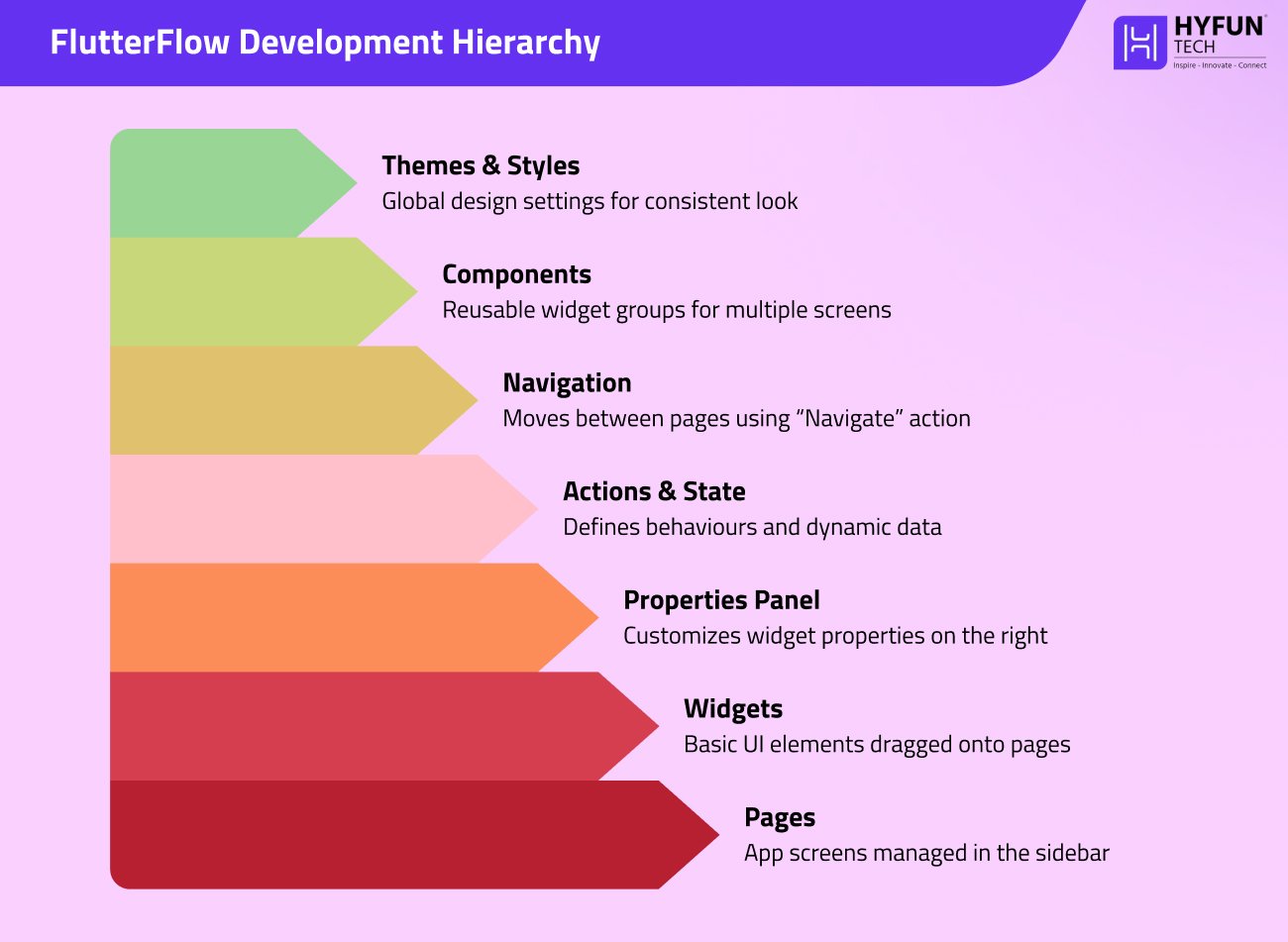
Understanding these core concepts will help you build and organize apps efficiently in FlutterFlow.
Ending On a Learning Note…
FlutterFlow is a powerful addition to any mobile app developer’s toolkit. Its visual editor and drag-and-drop widgets let even non-coders contribute. As the documentation emphasizes, it lets you create apps “incredibly fast”. In Hyfuntech projects, using FlutterFlow has dramatically reduced our development time. A workable prototype can be created in a fraction of the time it would take hand-coding.
FlutterFlow still writes production-quality Flutter code. If necessary, export the code and continue work. This hybrid strategy balances speed and flexibility for various applications. FlutterFlow features a Help Center with step-by-step guidance and a Community Forum where people discuss advice. Learning the platform is easy with video training and manuals.
We encourage you to try FlutterFlow on your next project. As a team, we at Hyfuntech have seen how it accelerates flutter app development and lets us focus on design and features rather than boilerplate. With FlutterFlow, your next app idea can go from concept to reality quickly and efficiently.
At Hyfuntech, we constantly leverage the latest website development innovations.The web development world will change in 2026. New web development trends include AI-powered tools and architecture and design changes. This essay explains 15 2026 web development trends to make your next site project user-friendly, performant, and future-proof. We blend clear technical insight with practical advice—for example, how frameworks like Angular or platforms like WordPress and Laravel are adapting. Let’s dive in and explore what’s next.
1. AI & Machine Learning Integration
AI and ML are essential trends influencing site construction. GitHub Copilot automates boilerplate and setup activities in seconds using AI. This means developers focus more on creative problem-solving and less on mundane labor. Experts say [AI] solutions like GitHub Copilot and Tabnine are extensively utilised to automate repetitive coding chores with real-time suggestions. AI improves user personalisation (recommendation engines, chatbots). Personalisation engines and conversational interfaces cut support costs and increase engagement on e-commerce sites. AI in 2026 is a viable approach to speed up development and improve UX, not just a term.
2. Progressive Web Apps (PWAs)
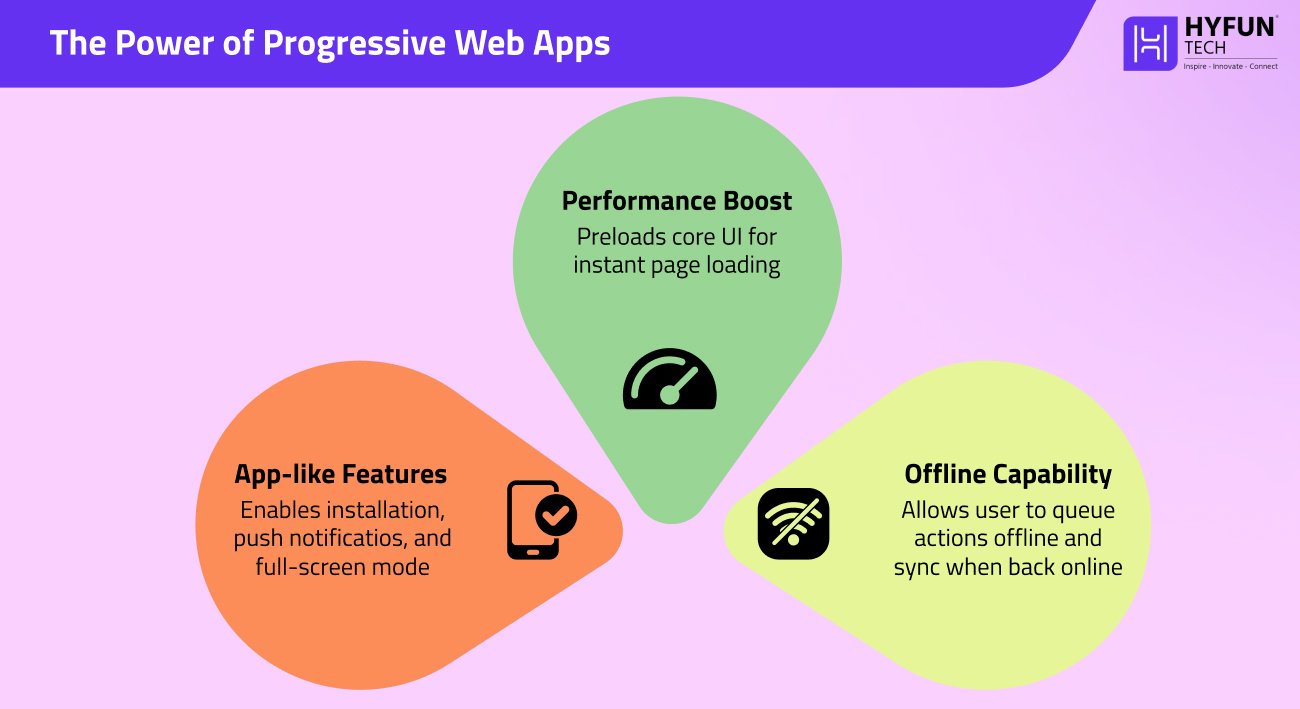
Progressive Web Apps continue to gain momentum. PWAs blur the line between web pages and native apps, offering installation on the home screen, push notifications, and even offline use. As one analysis notes, PWAs deliver “a web-like UX, but the performance of a native app, loading fast on any device. Thanks to service workers and an app “shell” architecture, PWAs load instantly and work offline by caching content. Major sites report big gains after adopting PWAs (for example, Tinder’s PWA reduced load time from 11.9s to 4.7s). So it has:
- Offline capability: PWAs queue actions offline and sync when back online.
- App-like features: They use service workers and manifests for installation, push notifications, and full-screen mode.
- Performance boost: The app-shell model preloads core UI, so pages load ASAP.
In 2026, PWAs will be mainstream. Every custom website development project should consider them to improve engagement and reliability.
3. Blockchain and Decentralised Web (Web3)
Blockchain is emerging in web development beyond cryptocurrencies. As a secure, distributed database, blockchain stores transactions in immutable chains. Each “block” relates to the previous one, preventing data tampering. This decentralized solution lets consumers control their data and eliminates single points of failure. Blockchain helps web developers to create dApps and trustless functionalities. An example would be Ethereum, whose smart contracts instantly execute transactions without an intermediary. Blockchain is used to safeguard patient health data and identity management in several industries. So at last, blockchain will improve web app transparency and resilience. Its cryptographic security and decentralization (no central server) are key trends toward “Web3” that developers can’t ignore.
4. Serverless Architecture
Serverless computing (Function-as-a-Service) continues to rise in 2026. In a serverless model, developers write functions and the cloud provider (AWS Lambda, Google Cloud Functions, etc.) runs them on demand. This “significant shift” means teams no longer manage servers directly. Benefits include cost savings (only pay per execution) and auto-scaling (functions spin up as needed).
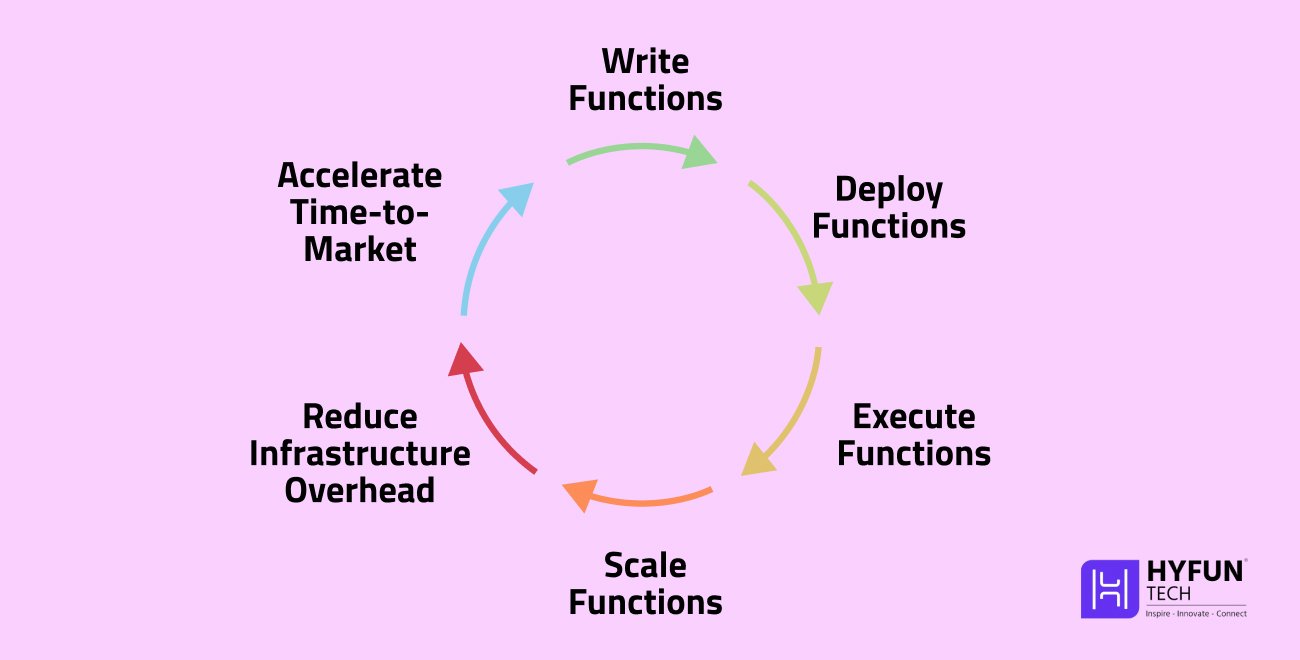
Serverless “uses cloud technology to intercept user requests… without backend server configuration,” reducing infrastructure overhead. Developers can finally focus on writing code logic, and meanwhile the platform would handle scaling, patching, and uptime too. Practically speaking, going serverless can greatly shorten time-to-market for new features. Like, building an event-driven API in Lambda lets you deploy a full backend faster than setting up VM servers. We expect serverless to become standard for microservices and APIs in 2026.
5. Headless/Decoupled CMS
Headless (decoupled) content management is firmly trending. A headless CMS separates the content database from the front-end. Content is managed in the backend and delivered via APIs to any presentation layer. This gives giant flexibility: one backend can serve a website, mobile app, IoT device, etc., all from the same content source. As noted in industry writing, “A headless CMS separates your content backend from your presentation layer.” The decoupled design improves efficiency (much of the site may be provided statically) and security (the backend is hidden from users). Common headless configurations feed Angular or React with REST or GraphQL APIs. In short, headless CMS architecture is a must-know trend: it enables omnichannel publishing and faster sites.
6. Motion UI and Micro-Animations
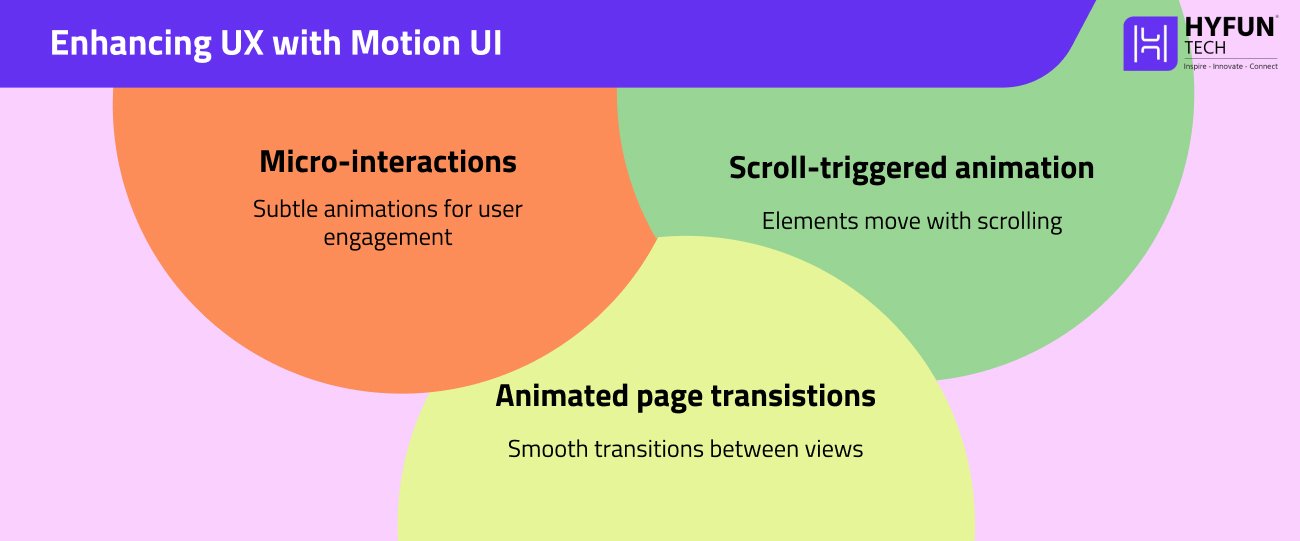
Expect more animated and motion-driven interfaces. Motion UI frameworks like ZURB add CSS/JS movements to sites, making them more alive. Sliders, fade-in sections, and hover effects help direct users, highlight content, and improve UX. One trend report even ties this to our short attention spans: “users require websites… with engaging interfaces and appealing animations to keep them hooked”. In practice, developers might use libraries like Animate.css or write custom CSS transitions. The mostly used features would be:
- Micro-interactions: Like those button ripple effects or progress indicators when loading.
- Scroll-triggered animation: elements fade or move when the user scrolls.
- Animated page transitions: smoother load from one view to another.
These animations should enhance UX without harming performance. Motion UI is no longer a gimmick – it’s a way to make sites feel modern and responsive to the user.
7. Dark Mode and User-Centric Design
Dark mode is becoming standard, not just a trendy color scheme. Many users now expect a light/dark toggle. Dark themes reduce eye strain in low light and save battery life on OLED screens (research shows up to 63% power savings). For example, one study found dark mode can “reduce visual fatigue” in low-light conditions. Development of a dark theme involves careful color and transition selections. Use softer grays instead of black and meet WCAG contrast ratios. In conclusion, dark mode improves battery life and comfort.
8. Voice Search and Conversational UI
Voice interfaces are now part of web UX. By 2026 most households will have voice assistants, so optimizing sites for voice search is crucial. Writing content in a conversational tone, adding FAQ schema, and using long-tail “question” keywords will help voice queries find your site. A survey found 71% of people prefer speaking to typing. Users commonly utilize natural language (“Where is the nearest coffee shop?” instead of “coffee shop open now”). Developers should make pages speedy and mobile-friendly as voice searches are frequently done on phones. Voice searches frequently have local purpose, thus supporting voice requires arranging material clearly, enhancing local SEO, and integrating voice commands in web apps. Voice search optimization is not just SEO flair—it’s a trend that makes sites more accessible and user-friendly in a hands-free world.
9. API-First Development and GraphQL
APIs are the backbone of modern web apps, and the “API-first” approach is gaining ground. In an API-first design, services and data endpoints are treated as primary, with front-ends just consuming them.
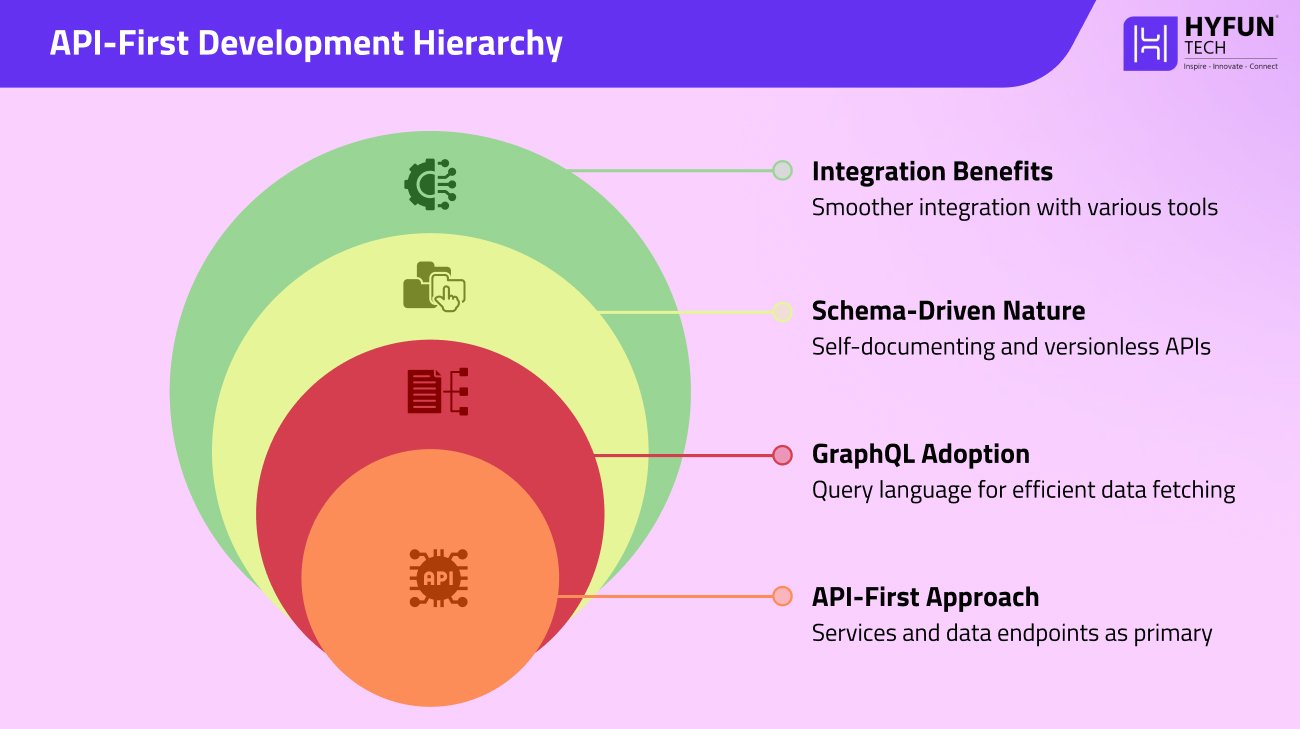
A key sub-trend is GraphQL, a query language for APIs. GraphQL lets clients request exactly the data they need through a single endpoint, avoiding over-fetching. Strapi’s analysis notes “GraphQL adoption is a significant trend… GraphQL is increasingly replacing REST APIs”. The schema-driven nature of GraphQL makes it self-documenting and version less. For developers, GraphQL simplifies data fetching and often improves performance. In practice, you might use GraphQL in a headless CMS or between a front-end (Angular, React) and backend. The bottom line: expect more apps using GraphQL or well-designed REST APIs. An API-first mindset (often combined with headless CMS setups) makes integration with mobile apps, microservices, and third-party tools smoother.
10. Cybersecurity and Data Protection
Security is a top concern in 2026. Web developers must integrate robust defenses from the start (DevSecOps). Basic measures like HTTPS/TLS are mandatory: every site should use TLS encryption (HTTPS) to secure data in transit. Modern ciphers and regularly updated certificates help maintain trust. Beyond that, strong authentication (multi-factor auth) and regular auditing are key. As one expert piece notes, implementing TLS not only protects users but also boosts SEO, since search engines rank secure sites higher.
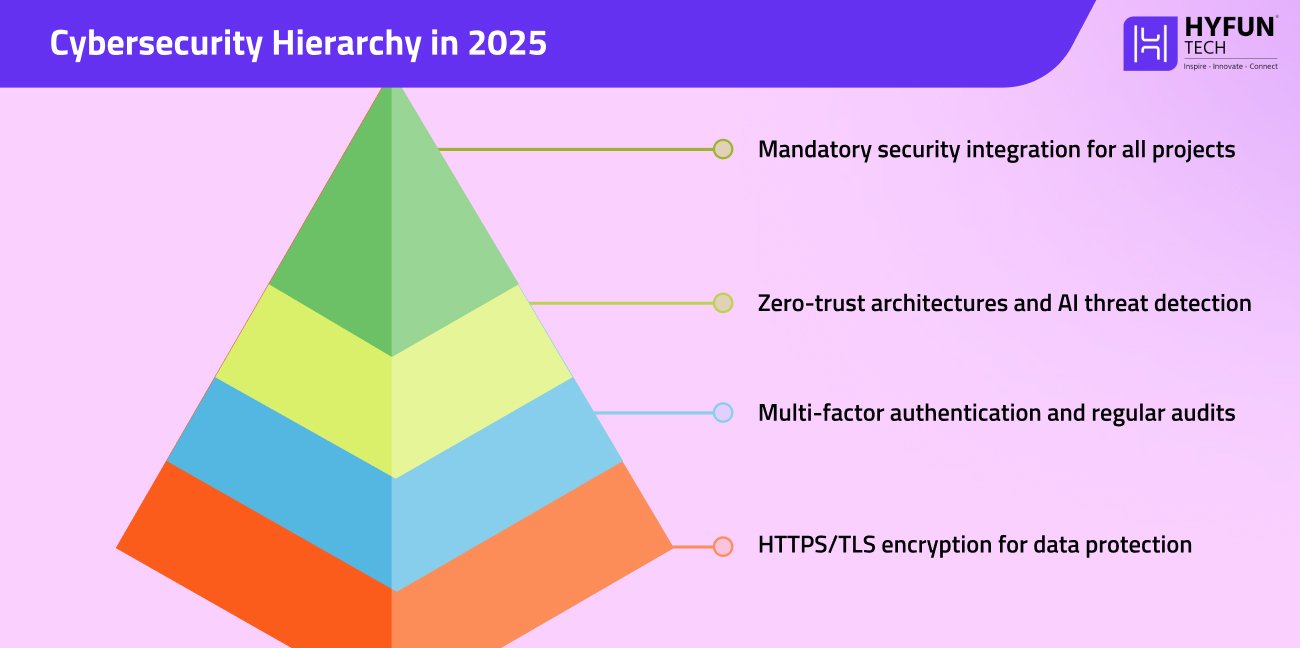
Ongoing trends include zero-trust architectures and AI-powered threat detection. In practice, this means using security headers, scanning for vulnerabilities, and training teams in good “cyber hygiene.” The takeaway: in 2026, security-first design is not optional. It’s both an industry expectation and often a legal requirement.
11. WebAssembly (Wasm)
WebAssembly is transforming performance-heavy web apps. It’s a binary instruction format that runs code nearly as fast as native machine code. Unlike JavaScript, WebAssembly can be compiled from languages like C++ or Rust and then executed by the browser. This means computation-intensive tasks (games, simulations, video processing) can run in the browser without plugins.
For example, Figma ported its editor to WebAssembly, cutting load time by 3x and delivering near-desktop performance in the browser. In 2026 we’ll see WebAssembly used wherever speed matters: augmented reality on the web, 3D graphics, and heavy data processing. In short, WebAssembly is a rising trend that lets web apps do much more by pushing computation into a fast, sandboxed environment.
12. WebRTC and Real-Time Communication
Real-time web communication is a growing norm. WebRTC is an open technology that enables peer-to-peer audio, video, and data streaming directly in the browser. This eliminated the need for third-party plugins. WebRTC’s key benefits are very low latency and built-in encryption. It uses DTLS/SRTP for end-to-end security, so voice/video chats are private by default.
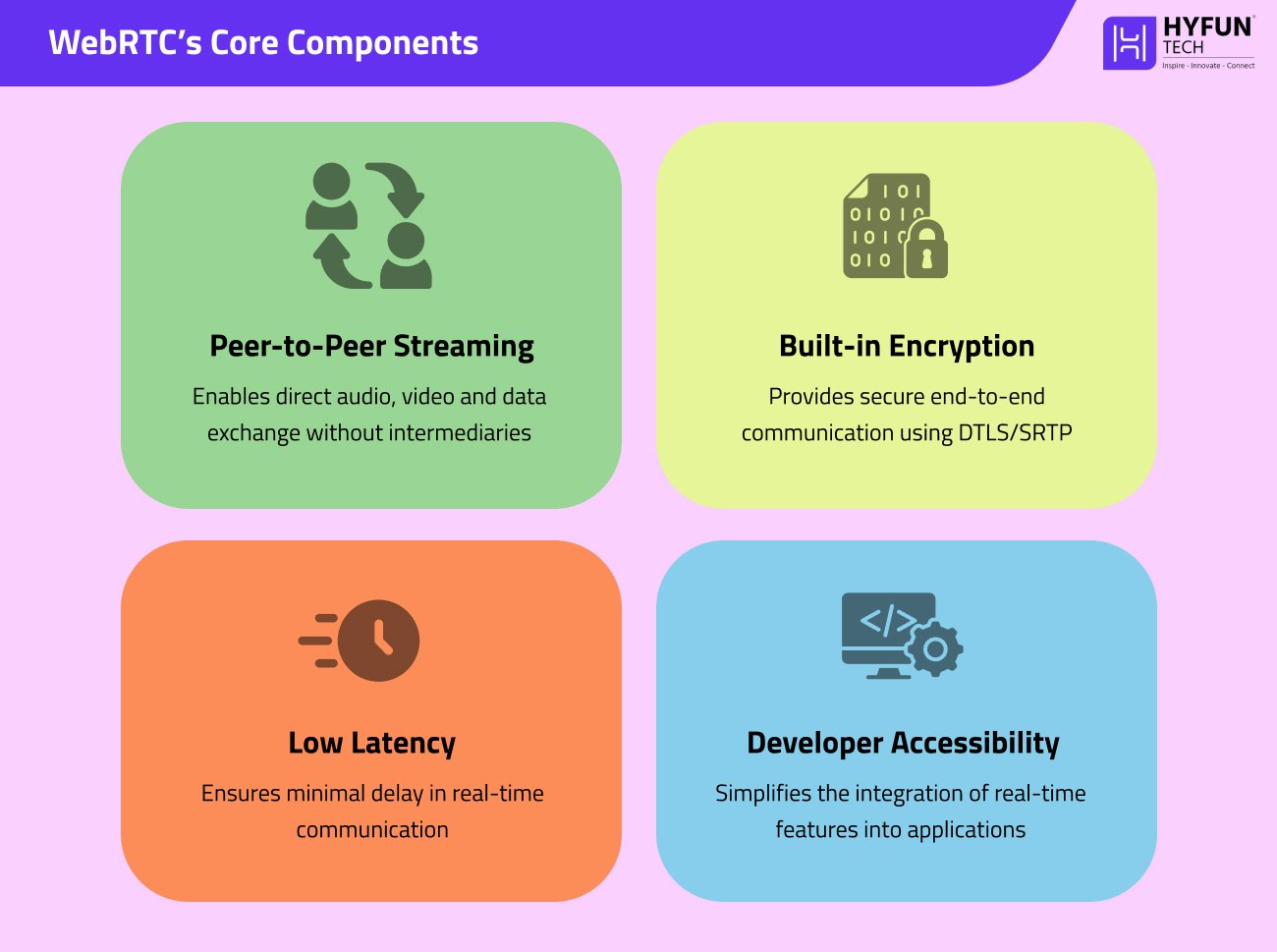
For developers, WebRTC means you can add video calls, live chat, or streaming features in apps without complex workarounds. Platforms like Slack and Discord rely on WebRTC under the hood. In 2026, web apps for telehealth, online education, gaming, or customer support will commonly use WebRTC to keep users connected in real time.
13. Edge Computing
Edge computing is about moving processing closer to the user or device, rather than relying solely on central data centers. This trend cuts latency and can greatly improve performance for real-time applications. For example, an IoT sensor or mobile app might do initial processing on a local edge server before sending data to the cloud. In web dev, this often ties into CDNs and edge functions (e.g., serverless code running on the CDN).
The big benefit is speed: requests travel a shorter distance. As one write-up explains, edge computing “reduces response times” and “enhances performance” by handling data close to the user. In practice, 2026 sites may use edge deployments for tasks like image resizing, video transcoding, or delivering personalized content from a nearby server. This trend helps deliver faster, more resilient web experiences, especially for global audiences.
14. Low-Code / No-Code Development
Platforms that require little or no coding are now mainstream. Low-code/no-code tools let non-programmers build websites and apps via drag-and-drop interfaces. By 2026, these tools will be even more powerful. Strapi notes that they “democratize application development,” enabling users with minimal programming knowledge to assemble functionality visually. The market for low-code technologies is booming. In practice, many businesses use no-code tools for simple apps or internal tools, while professional developers use low-code to speed up work.
For example, within WordPress (a key part of our services), builders like Gutenberg (block editor) let content creators design pages without writing HTML. The trend means faster prototyping and more agile development. However, it’s important to combine low-code with good architecture: complex systems still need experienced devs to ensure scalability and security. Overall, low-code/no-code will be a helpful complement in 2026, not a total replacement for custom code.
15. Accessibility and Inclusive Design
Finally, accessibility is increasingly non-negotiable. Building inclusive websites is both socially responsible and often legally required (e.g., WCAG standards). These guidelines ensure people with disabilities can use the web. Strapi highlights that “accessibility standards provide the framework for creating inclusive digital experiences” and are integral to 2026 trends. In practice, this means writing semantic HTML, adding alt text for images, ensuring keyboard navigation, and meeting color-contrast ratios. Regulations like the EU Accessibility Act (enforced by 2026) demand WCAG 2.1 AA compliance for many sites. By following these standards, developers ensure their work reaches the widest audience and avoids legal risks.
That’s it. That Was Our List!
2026’s web development trends center on smarter, faster, and more user-centric technologies. Hyfuntech stays on top of them: our team builds custom website development projects using cutting-edge frameworks and best practices. Whether it’s a WordPress development project with a modern headless setup, an Angular development job that uses PWAs and GraphQL, or a Laravel development backend optimised for performance and security, we integrate the latest trends into our work. The future of web development is here—and by embracing these trends, Hyfuntech ensures your site is future-ready, high-performing, and user-friendly.
At Hyfuntech, we always say that a well-made website is the most basic foundational first-rock of any business! And, custom WordPress development scales companies to create such sites tailored to their unique goals and audiences. In 2026, WordPress is still the world’s most popular web platform, powering around 43% of all websites. But off-the-shelf templates can only go so far. A truly customized WordPress site stands out with better performance, unique features, and a brand-focused design. This guide will explain how to build and launch a custom WordPress website step by step.
Custom development means using WordPress as the site engine while creating a custom theme, plugins, and features specifically for your business. Rather than simply tweaking a ready-made template, custom development often involves building new data structures and interfaces (for example, with the Advanced Custom Fields plugin) so the site behaves exactly as required. It helps developers to implement the exact functionality and style your brand needs without compromise. In short, custom WordPress development means creating a one-of-a-kind site aligned to your business needs. This approach avoids limitations like slow performance or confusing layouts.
What is Custom WordPress Development?
Custom WordPress development involves designing and building a site to fit specific business needs not achievable with a standard WordPress template. In a typical WordPress setup, you might install a theme and add plugins to extend it. However, some businesses require much more flexibility. With custom development, the WordPress core is used as a foundation, and developers create or modify themes and plugins to extend functionality precisely where needed. For example, a custom search tool or a complex booking system could be coded specifically for your site.

This method keeps the user-friendly content editing of WordPress while adding power under the hood. The platform’s flexibility means you can work with custom content types (like specialized product listings or educational courses) and layouts that exactly match your needs. Well-known sites like TechCrunch, BBC America, CNN, and Time have built custom WordPress implementations to handle their complex content and traffic. By choosing custom WordPress website development, a business uses WordPress as a solid engine while adding exactly the features it needs.
Custom Theme vs. Template Customization
It’s important to clarify terms. A custom WordPress theme is a design and code file you build from scratch for your site’s look and feel. In contrast, template customization means starting with an existing theme and changing colors, layouts, or fonts. While a customized template can look nice, it’s still limited by the original theme’s structure.
Custom development goes further: for example, it might use the Advanced Custom Fields plugin to add entirely new data fields and features to posts and pages. Essentially, custom development treats WordPress as a platform you build upon, rather than just picking a template.
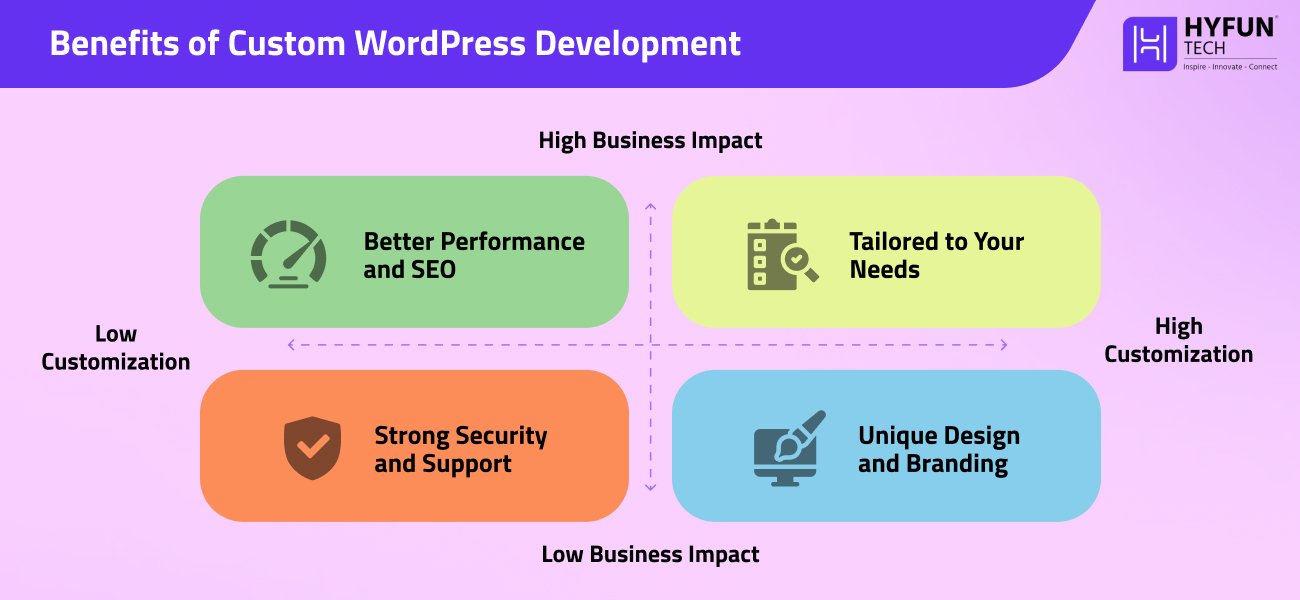
Why Choose Custom WordPress?
Building a custom WordPress site is a smart move for businesses because it provides clear advantages over a standard template. The key benefits are:
Tailored to Your Needs
Every element of the site is designed for your business goals. You specify the exact features, content types, and layouts you need. This means your site delivers a focused experience for visitors and stands out from competitors.
Unique Design and Branding
You can reflect your brand’s personality in every detail. Instead of using stock templates, your site can use custom graphics, fonts, and layouts. A unique design builds brand recognition and makes the user experience more memorable.
Advanced Functionality
Custom development enables specialized features tailored to your operations. For example, you could implement an advanced search filter, custom booking forms, or integration with a CRM system. These features improve usability and can set your site apart.
Better Performance and SEO
A site built for your needs avoids unnecessary code. Developers can optimize images and scripts for faster load times, and follow SEO best practices from the start. WordPress sites are already easy to optimize, since WordPress powers 43.2% of all websites. Faster pages and clean code help your site rank higher in search results.
Scalable and Future-Proof
A custom WordPress site can grow with your business. You can add new pages, products, or features without rebuilding from scratch. Custom sites also integrate well with other tools (for example, marketing automation or ERP systems). Because it’s built on WordPress, you’re not locked into a specific vendor or platform as you expand.
Lower Long-Term Costs
While custom development requires an initial investment, it often saves money in the long run. You only build and pay for features you need. WordPress is also cheaper to maintain than many other platforms. A well-built custom site can improve conversions and reduce the need for major redesigns later on.
Strong Security and Support
WordPress core is maintained by a global security team of experts, so updates address vulnerabilities quickly. With custom development, you can also implement security best practices (like two-factor authentication, SSL encryption, and security plugins) to protect your site. The result is a secure platform that can be actively monitored and updated.
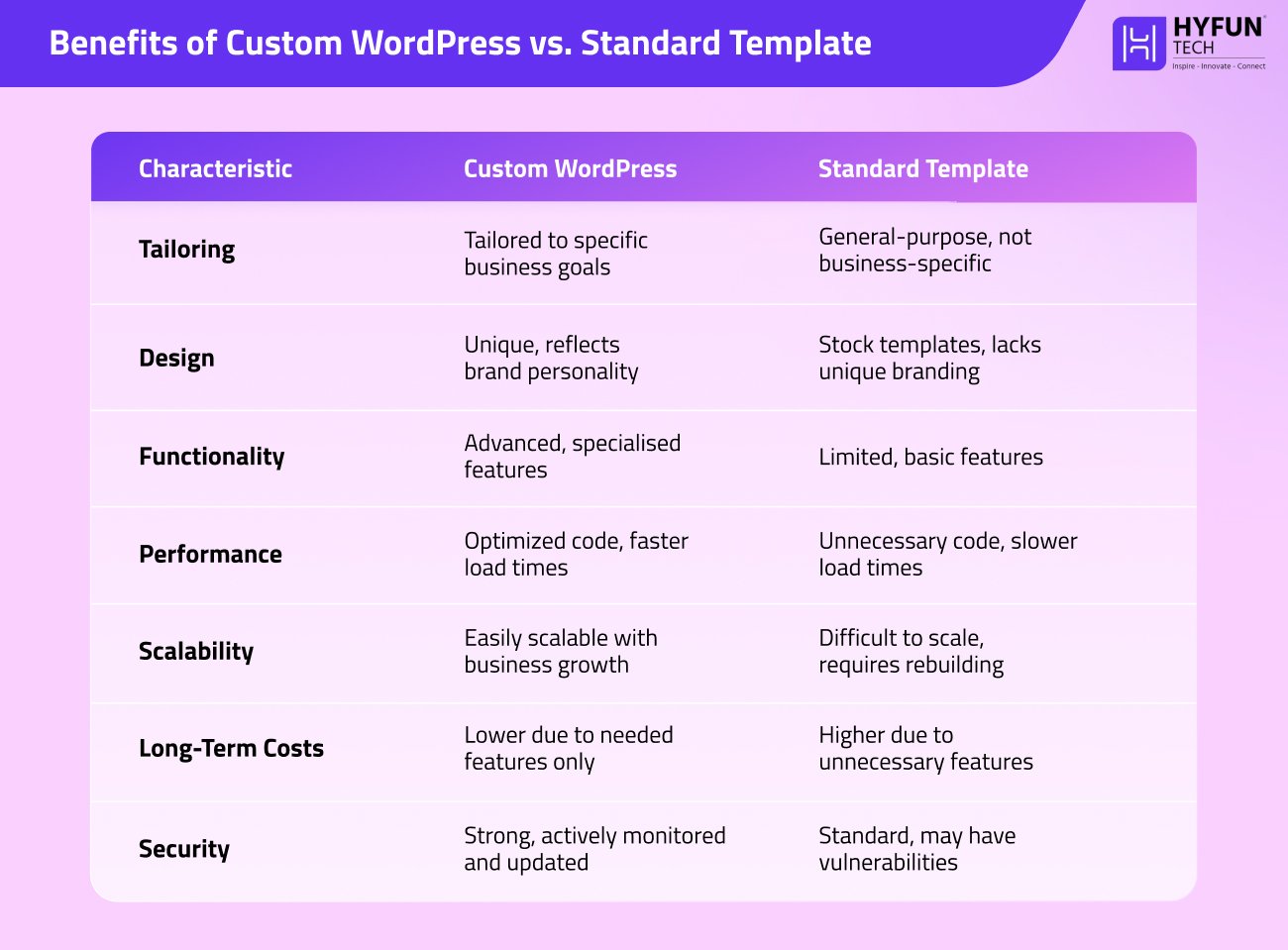
In summary, custom WordPress website development means a site built explicitly for your business. It delivers unique design, functionality, and performance advantages while still giving you the user-friendly backend and vast plugin ecosystem of WordPress.
Industries and Use Cases
WordPress is flexible enough for nearly any industry. News and media organizations (like CNN, BBC, Time) use custom WordPress for publishing platforms because it can handle high traffic and multimedia content. Retail and ecommerce businesses rely on WordPress with WooCommerce to sell products online. WooCommerce leverages WordPress’s strengths – its SEO and ease of content management – while providing full shopping cart and checkout functionality. Over 6 million ecommerce sites use WooCommerce, from small boutiques to large brands.
Small businesses, agencies, and freelancers choose WordPress for its user-friendly admin interface and lower costs. Startups often launch MVP sites using WordPress to validate ideas quickly. Non-profits and schools use it for donation systems and course management. Essentially, any organization that needs a flexible, scalable website – from local shops to global enterprises – can benefit from custom WordPress development. It adapts to ecommerce, booking systems, membership sites, portfolios, blogs, and more.
Step-by-Step Guide to Developing Your Custom WordPress Site!
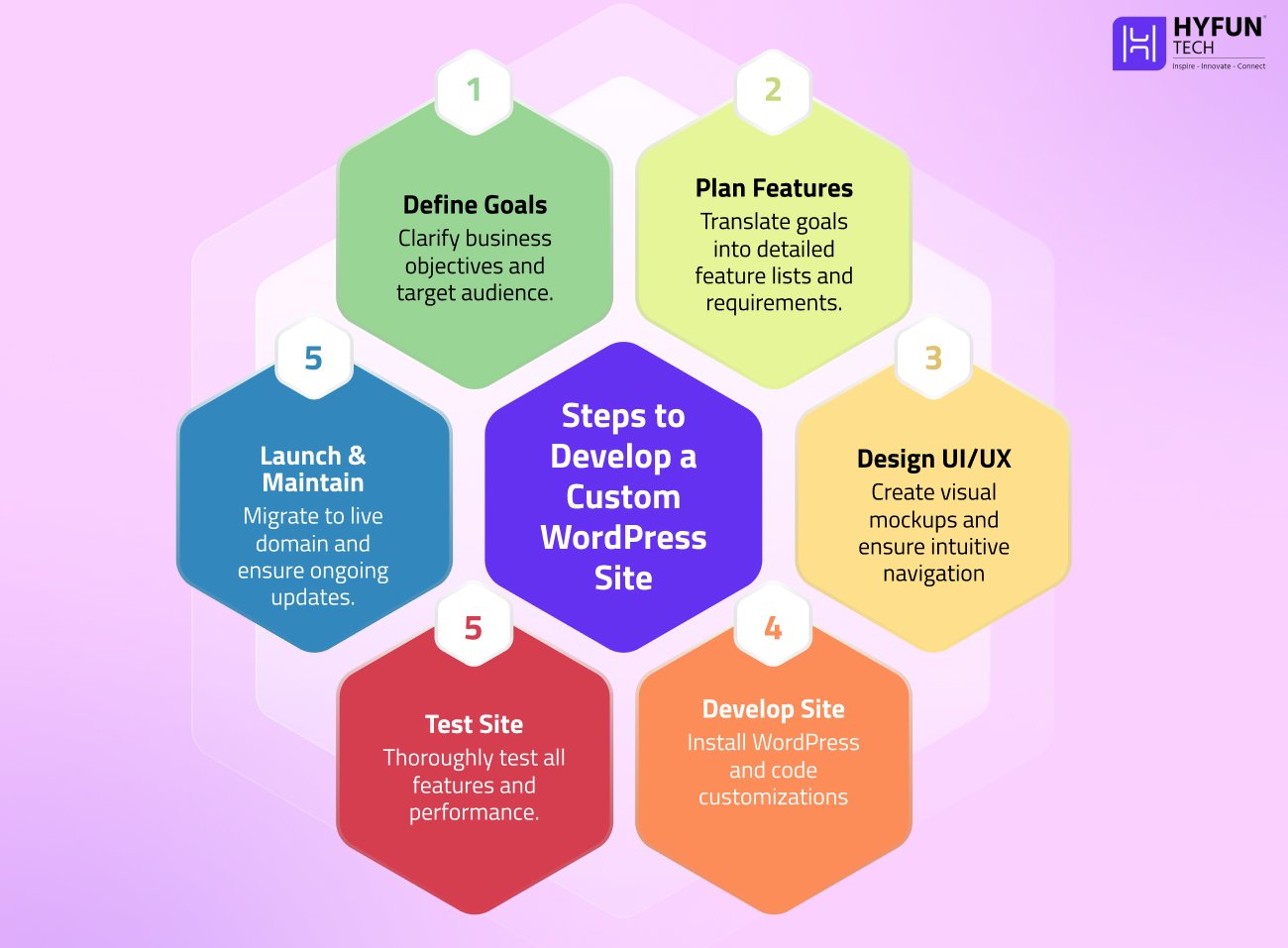
Creating a custom WordPress website involves several key phases. Below is a concise roadmap:
1. Define Your Business Goals
Clarify what you want the website to achieve. Are you aiming to increase sales, generate leads, or build brand awareness? Determining your goals and target audience is the first critical step. For example, a fast-growing retailer might need a site optimized for online sales, whereas a startup may want to test an idea with an MVP site. Identify must-have content types (like products, blog posts, or events) and any performance targets (e.g., SEO rank, loading speed). Establishing clear objectives helps keep the project focused.
2. Plan Features and Requirements
Translate your goals into a detailed feature list. Decide on needed functionalities (e.g., ecommerce, booking forms, user registration) and any technical integrations (like CRM, email marketing, or analytics). Create a requirements document listing all pages, content types, and plugins you will need. This plan guides the design and development and helps estimate timelines and budget.
3. Design the User Experience (UI/UX)
Turn requirements into visuals. Work with a designer or use wireframing tools to create a site map and mockups that outline each page layout. Focus on intuitive navigation and a responsive layout that looks great on desktop and mobile. Refine the design based on feedback – there may be multiple design iterations. A solid design ensures that when developers begin building, they have a clear blueprint.
4. Set Up WordPress and Develop
Install WordPress on your hosting environment (or a staging server). Choose a development approach: you might start with a blank theme or a popular starter theme, then code your customizations. Begin creating the custom theme or child theme according to your design. Add any needed plugins (e.g. WooCommerce for online stores, or a booking plugin) and configure them. Developers should create templates and custom post types for unique content. For instance, if you sell courses, build a “Course” post type with custom fields for price, duration, and syllabus. Also ensure you have version control (like Git) set up for code.
Many businesses hire a WordPress developer or agency for this phase. A typical project team might require a project manager, a UI/UX designer, a WordPress developer, and a QA tester. Each role ensures the site matches business needs and runs smoothly.
5. Test the Site
Thoroughly test all aspects of the site. Check that every feature works (forms submit, ecommerce checkout flows, search filters, etc.). Verify the site appears correctly on various devices and browsers. Test page speed and fix any issues (optimize images, enable caching). Get feedback from real users or stakeholders to catch usability issues. Also ensure basic SEO settings are in place (friendly URLs, title tags, sitemap). The goal is a stable, fully functional site before going live.
6. Launch, Monitor, and Maintain
When the site is ready, migrate it to your live domain and hosting. Double-check that all data and settings transferred properly. Announce the launch through marketing channels (social media, email, etc.). Once live, monitor site analytics and user feedback. Track performance with tools like Google Analytics and Search Console. Be prepared to make small adjustments or add new content based on early user response. Finally, plan for ongoing maintenance. Regularly update WordPress core, themes, and plugins for security. Experts often suggest allocating about 20% of the initial development cost per year for maintenance and updates. This ensures your site stays fast, secure, and up-to-date.
By following these steps, you can build a robust, custom WordPress website tailored to your business. Each phase ensures the final site not only looks great but also functions smoothly and supports your goals.
Current WordPress Development Trends (2026)
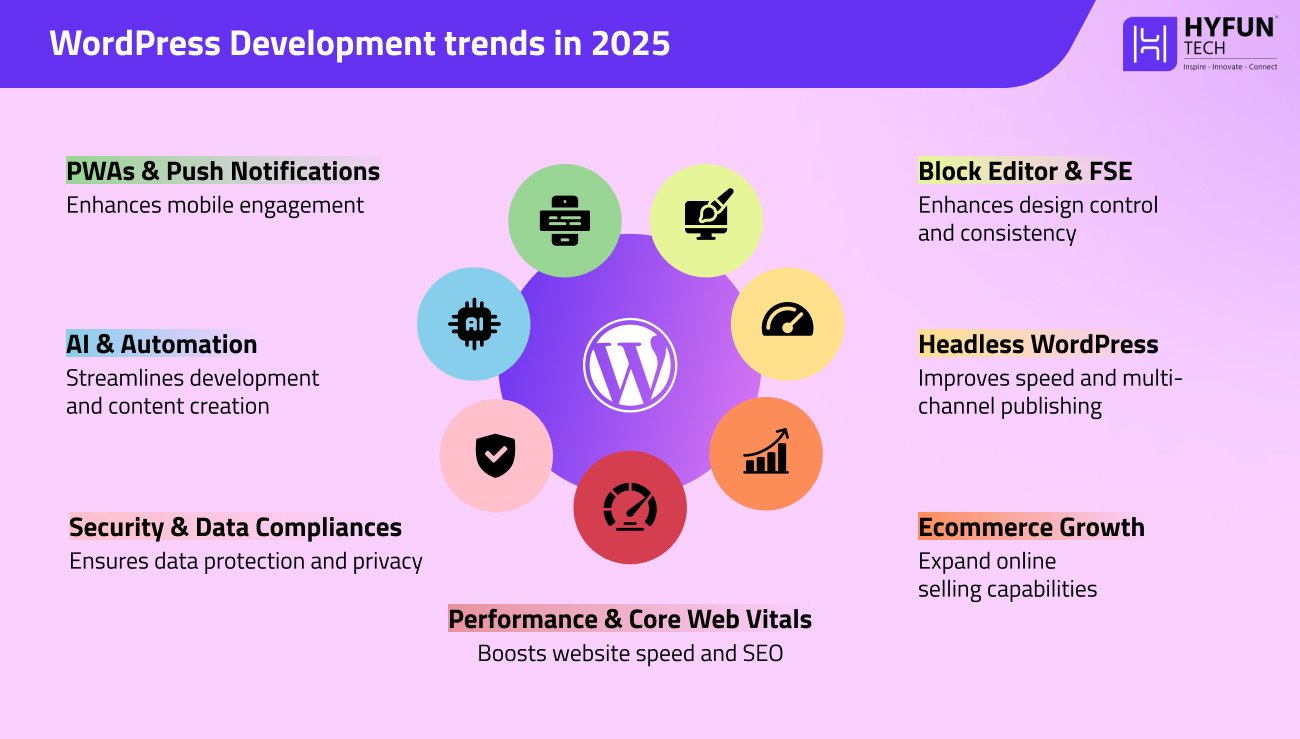
WordPress is always evolving. In 2026, several trends are shaping how developers build custom sites:
Block Editor & Full Site Editing
The Gutenberg block editor is now the standard way to build pages. Developers create custom blocks and block-based themes, giving content teams control over design without coding. Full Site Editing (FSE) helps building headers, footers, and templates entirely with blocks. This makes updates faster and ensures design consistency. In practice, businesses can quickly tweak page elements and empower marketing teams to adjust layouts.
Headless WordPress
Some companies are decoupling WordPress from the front end, using it purely as a content management API. This “headless” approach delivers faster load times and lets content be published to websites, mobile apps, or other channels simultaneously. By 2026, headless WordPress has mature tools: powerful REST and GraphQL APIs, and even specialized hosting that supports serverless or Jamstack workflows. For example, an enterprise might use WordPress for the backend and a JavaScript framework (like React) for the front end.
Ecommerce (WooCommerce) Growth
Selling online is crucial for many businesses. WooCommerce, the WordPress ecommerce plugin, keeps growing. It now supports subscriptions, memberships, bookings, and more. Custom WooCommerce development has personalized product pages and checkout flows tailored to brand needs. With WordPress’s strong SEO and content tools, online stores get the best of both worlds. In 2026, look for features like AI-driven product recommendations and seamless omnichannel selling.
Performance & Core Web Vitals
Website speed and stability are a top focus. Google’s Core Web Vitals (metrics like Largest Contentful Paint and Cumulative Layout Shift) directly impact rankings. Developers now optimize sites natively: using modern image formats (WebP/AVIF), lazy loading, and minimal plugins. Many caching solutions and lightweight themes have emerged to boost speed. Research shows that if a page takes over 3 seconds to load, roughly 40% of users abandon it. Achieving fast load times is critical for retention and SEO.
Security and Data Compliance
Cybersecurity remains critical. WordPress core and plugin updates are released frequently to patch vulnerabilities. Many businesses add layers like two-factor authentication, Web Application Firewalls, and regular security scans. Data privacy laws (GDPR, CCPA, etc.) also influence development. By 2026, custom WordPress projects typically come with privacy-by-design: cookie consent banners, data deletion tools, and encrypted user data where needed. Developers might also schedule regular security audits to proactively catch issues.
Artificial Intelligence and Automation
AI is becoming part of both development and content workflows. Developers use AI-assisted code completion and testing tools (like GitHub Copilot) to speed up the build process. Content teams integrate AI plugins for draft creation and SEO optimization. For example, an AI tool might suggest meta descriptions or auto-generate blog outlines. In 2026, we expect more AI-driven features on WordPress sites, such as chatbots for customer service or personalized content recommendations. These tools can enhance user experience without replacing human oversight.
Progressive Web Apps (PWAs) and Push Notifications
Turning a WordPress site into a PWA is increasingly popular. PWAs aid a website to be added to mobile home screens and work offline. They can send push notifications to re-engage visitors even when the browser is closed. For instance, an online store might send a notification about a sale or an abandoned cart. By 2026, many businesses leverage PWAs to blur the line between web and app, improving engagement and conversion rates on mobile.
By embracing these trends, your custom WordPress site will harness the latest technology improvements. However, always align new features with clear business goals: the latest tech is only valuable if it serves your strategy.
Wrapping Up with Final Takeaways
Custom WordPress development in 2026 means creating a website that grows your business and serves your audience. By defining clear goals, planning carefully, and following best practices, you can build a powerful site. We at Hyfuntech have guided many clients through this journey, and our experience shows that a tailored WordPress site can improve branding, user engagement, and conversions. We stay updated on the latest tools—Gutenberg enhancements, AI features, and performance optimizations—so our clients benefit from modern, effective websites that deliver results. At Hyfuntech, we emphasize clear communication and on-time delivery. We coordinate closely with you to ensure the site launches smoothly. Even after launch, our support continues: we can handle performance audits, new feature development, or training your team to manage the site.
Investing in a custom WordPress site can be one of the most cost-effective ways to build a distinctive online presence. Remember the key steps: clarify objectives, design an intuitive UI, develop with best-in-class tools, and test thoroughly before launch. After going live, continue improving the site based on feedback and analytics. A website isn’t just code—it’s an investment in your brand and customers. When you’re ready, please contact our Hyfuntech WordPress team to help you succeed today!
In modern web development, the choice between Node.js vs Python as a backend technology is a common question. Both power high-profile sites and have strong developer communities. A survey of over 58,000 developers highlights how critical backend frameworks are, and both Node.js and Python rank near the top. Backend languages power the core logic of web apps – from database queries to business workflows.
Choosing the right one can affect performance, developer productivity, and long-term maintenance. Node.js and Python are both general-purpose, but have different design philosophies. Node.js brings JavaScript’s event-driven model to servers, while Python emphasizes readability and a rich standard library. Knowing their differences will help you ( like it did for us at Hyfuntech) make an informed decision, rather than choosing based on trends alone. As developers at Hyfuntech, we’ve built projects in both languages.
This guide will explain their differences in easy words. We will cover performance, scalability, ecosystems, and use cases too. Node.js brings JavaScript which is the web’s most popular language. Also for the backend, opening backend development to front-end developers. Python’s clear syntax has made it a common teaching language for beginners.
What is Node.js?
Node.js uses Google’s V8 JavaScript engine. JavaScript runs on servers, not only browsers. Node.js can manage multiple connections without stalling due to its asynchronous, event-driven nature. Ryan Dahl’s 2009 release revolutionized web app development. The npm registry has over 1.3 million packages for Node.js. Express.js and NestJS are used to structure Node.js projects. This helps front-end developers to reuse backend code like form validation logic. It opened up backend development to front-end developers, letting web teams use one language for everything.
What is Python?
Python is a multifunctional, high-level programming language with simple syntax. Python powers small programs, huge web services, and scientific instruments. Guido van Rossum created it in 1991. Developers can create logic in fewer lines because its code is generally simple English. Python has a large data science, machine learning, and Django, Flask, and FastAPI library ecosystem. The package manager Pip simplifies library installation and management. It supports procedural, object-oriented, and functional paradigms, giving developers flexibility. Its readability made it a popular teaching language – many beginners learn programming with Python.
Let’s Rate Them Both in Various Criterias
1. Performance and Speed
One big difference is raw speed. Node.js often runs faster for web tasks. Its V8 engine compiles JavaScript into optimized machine code, and its non-blocking I/O model lets the server handle a new request while waiting on previous ones. V8 even uses Just-In-Time compilation to speed execution, whereas standard Python (CPython) is an interpreted language (PyPy is a JIT alternative). In benchmarks, Node.js frameworks typically show higher throughput than Python frameworks. This matches the idea that Node.js “wins the race” on performance. In practice, Node.js can handle thousands of requests per second for I/O-bound tasks like database queries or API calls. It excels at real-time applications (chats, live dashboards, streaming apps) and high-traffic sites. In fact, in benchmarks a Node.js API can serve roughly 2–3× more requests per second than a similar Python/Flask service on the same hardware. In real apps, however, much of the time is spent on databases or networks, so the gap is often smaller.
Python, by contrast, is traditionally slower for serving web requests. Python code is usually interpreted and executes one statement at a time. Its Global Interpreter Lock (GIL) means only one thread of Python bytecode runs at a time, which can limit concurrency. In a typical web server, Python (e.g. a Flask app) often handles fewer requests per second than Node.js. However, Python can use asynchronous libraries (asyncio) or multi-process servers (Gunicorn) to improve throughput. For CPU-heavy tasks (like image processing or data crunching), Python can leverage optimized C libraries (NumPy, Cython) or use multiple processes, whereas Node.js would need external workers. For example, Node.js comes with worker threads (in recent versions) and cluster support, but many teams still offload CPU work to separate services. In short, Node.js usually leads in raw I/O speed and concurrency, while Python trades some speed for ease of development and its powerful libraries.
2. Scalability and Concurrency
Scalability is about handling more users or data as an app grows. Node.js is designed to scale easily. Its non-blocking, event-driven model works well with horizontal scaling (adding more servers). You can run multiple Node.js instances (for example, one per CPU core) without major changes. Prismetric notes that Node.js applications can be scaled with new nodes and resources with minimal changes. Teams often break Node apps into microservices – small independent services – which can be deployed and scaled separately. In cloud environments, Node.js functions and containers are well-supported (AWS Lambda, Azure Functions, etc.). For example, large systems often use message queues (RabbitMQ, Kafka) to distribute work between services, whether they are written in Node.js or Python. Caching layers (Redis) and CDNs are commonly used with either stack. In other words, both ecosystems have robust support for modern infrastructure. Ultimately, both languages can power systems that serve millions of users if designed properly. For example, Node.js comes with a built-in cluster module to spawn worker processes, and Python deployments often use Gunicorn or uWSGI for multiple workers.
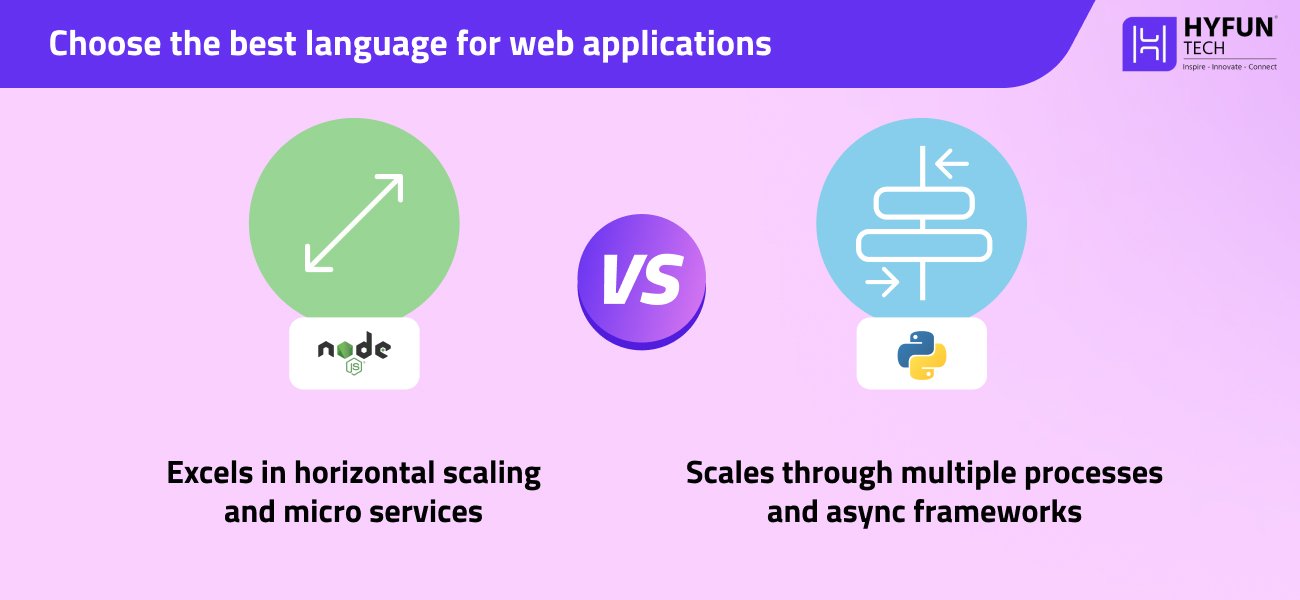
Python can also scale, but its GIL means it handles concurrency differently. A common approach is to run several Python worker processes behind a load balancer, or use async frameworks (aiohttp, FastAPI) that use event loops. Prismetric highlights that Python’s GIL “prevents numerous threads from operating simultaneously,” so true multi-threading is limited. In practice, Python apps often scale by running multiple processes or containers. Both Node.js and Python benefit from containerization (Docker) and modern cloud setups, so you can achieve large scale with good architecture. Both can also scale vertically (using bigger servers), but web backends usually scale by adding more instances horizontally.
3. Ecosystem and Libraries
Both Node.js and Python have very mature ecosystems, but with different focuses:
- Node.js ecosystem: centered around npm (Node Package Manager), which hosts over 1.3 million packages. This has web frameworks (Express, Koa), real-time libraries (Socket.IO), and many utility modules. Developers working in nodejs development benefit from using the same language (JavaScript/TypeScript) across frontend and backend. For example, teams often use a MERN stack (MongoDB, Express, React, Node.js) for their web apps. Popular databases like PostgreSQL, MySQL, and MongoDB have excellent support for Node.js. For example, other Node.js frameworks come with Hapi, Koa, and Fastify.
- Python ecosystem: centered around PyPI (Python Package Index) with hundreds of thousands of packages (PyPI hosts over 300,000). Python shines in data and scientific libraries (NumPy, Pandas, TensorFlow, PyTorch). It also has mature web frameworks: Django provides a ‘batteries-included’ way (ORM, auth, admin panel), while Flask and FastAPI offer lightweight alternatives. For example, Python projects often use Django with a React or Vue front-end. Major databases are also well-supported (Django ORM, SQLAlchemy, etc.). Python’s standard library is also very rich, covering many common tasks (file I/O, HTTP, data formats, etc.) out of the box.
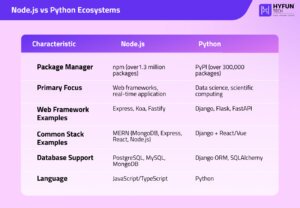
In practice, many web projects use a JS-based stack (like MERN) or a Python stack (like Django + React). Both communities continually add new libraries and tools, so you can usually find a package for your needs. As Prismetric notes, both technologies offer a range of libraries and tools to streamline development.
4. Community and Support
Community size and activity are strong for both languages. Node.js is younger (since 2009) but very popular. JavaScript consistently tops developer surveys, and Node.js in particular is widely used for web backends. For example, StackOverflow’s 2022 survey reported Node.js as the most popular framework for web development, and Node.js is one of GitHub’s most-starred projects. Companies like Netflix, LinkedIn, and PayPal use Node.js in production and have reported large performance gains. The Node.js community constantly releases new modules and tools. This keeps the ecosystem fresh, but also means you should manage dependencies carefully.

Python has one of the largest developer communities. It’s often ranked near the top in popularity indexes. Python is heavily used in academia and industry for tasks from web to data science, so expertise is abundant. There are huge online resources, tutorials, and Q&A for both Node.js and Python, making it easy to find help. Many surveys list Python in the top 5 languages and Node.js in the top 10. For example, GitHub’s 2022 survey placed Python as the third most popular language globally, with JavaScript (Node.js) also ranking highly. Glassdoor reports average salaries in the US around $98K for Node.js developers and $117K for Python developers, reflecting high demand. Both communities hold conferences and meetups (e.g., PyCon, Node Interactive) and contribute to open-source. Both Node.js and Python are open-source under permissive licenses (Node under MIT, Python under PSF license). According to popularity rankings (e.g. TIOBE), Python and JavaScript are consistently among the top 3 languages. Both ecosystems are well-supported and constantly evolving.
5. Development Ease and Learning Curve

- Python: Often praised for easy syntax and readability. Python code tends to be concise and consistent (using indentation). This makes it quick to prototype and maintain. A beginner can often start producing useful Python code with minimal setup.
- Node.js (JavaScript): Easy for developers already familiar with JavaScript. Using the same language across frontend and backend (often with TypeScript) can speed up full-stack development. However, Node.js’s asynchronous style (callbacks, Promises, async/await) requires care. Beginners may find async patterns challenging at first.
- Debugging: Python’s straightforward execution model often makes errors easier to trace. Node.js’s event loop and async callbacks mean you have to manage errors carefully. Prismetric notes that Node.js’s concurrency can make it harder to spot bugs, whereas Python’s sequential flow is easier to scan for errors.
- Typing: Node.js often uses TypeScript to add static typing and catch errors early. Python is dynamically typed by default, though it now supports optional type hints (PEP 484) that can be checked with tools (like mypy).
- Tooling: Both languages enjoy excellent tooling support. Node.js developers commonly use IDEs like Visual Studio Code or WebStorm. Python developers often use PyCharm or VS Code, and data scientists frequently use Jupyter notebooks for interactive development. Python developers often isolate projects with virtual environments (venv, conda) to manage dependencies, whereas Node.js uses npm (or yarn) per project to avoid global conflicts.
6. Use Cases and Real-World Examples
- Real-time Apps: Node.js shines for chat apps, live games, collaboration tools, and streaming. Its non-blocking I/O and built-in WebSocket support make broadcasting to many clients easy. For example, LinkedIn’s mobile server and parts of Netflix use Node.js to improve response times.
- Microservices/APIs: Both can build web APIs. Node.js is JSON-native (JavaScript↔JSON) and is often used for lightweight REST or GraphQL services. Python (with Flask/FastAPI) is equally capable. Teams sometimes mix them: for example, one service might be in Node.js while another is in Python.
- CPU-intensive Tasks: When the server does heavy computation (image processing, complex algorithms), Python often has the edge via optimized libraries (written in C) or parallelism. For instance, Dropbox and Instagram rely on Python for backend processing. Node.js can handle CPU work too (using worker threads or external services), but this is less common.
- Data Science and ML: Python is dominant in data science. Libraries like TensorFlow, PyTorch, and Pandas make analytics and machine learning straightforward. Backend services serving ML models are usually in Python (Flask, Django). Node.js can serve models via REST APIs, but heavy lifting is often done in Python.
- Automation and Scripting: Python excels at general-purpose scripting, automation, and DevOps tasks (e.g., Ansible is Python-based). Node.js can also script development tasks (npm scripts, Gulp), but Python’s simplicity often makes it the choice for complex automation or command-line tools.
- E-commerce & CMS: Both languages power content sites and online stores. Python’s Django comes with built-in admin and authentication, speeding up e-commerce development. Node.js often pairs with modern frontend frameworks (React, Vue) to create dynamic shopping experiences.
- Serverless: Both Node.js and Python run on AWS Lambda, Azure Functions, and other serverless platforms. Node.js often has faster cold-start times, while Python is widely used in serverless data-processing tasks.
- Getting Talent: Consider your team. There are many JavaScript developers (especially front-end) who can pick up Node.js. Python developers are also abundant, particularly in the scientific community. If your team has stronger skills in one language, that might guide your choice.
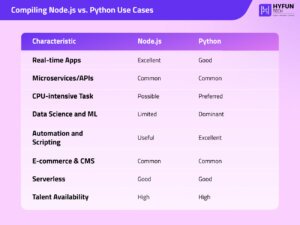
Each technology has success stories. For example, Instagram’s backend is built in Python (Django), and many startups use Python for quick MVPs. On the Node side, companies like Netflix, PayPal, and LinkedIn use Node.js for key services. Many large projects use both. The key is matching each language’s strengths to your project’s requirements. Often, teams use both: for example, one service might be in Node.js while another is in Python. If in doubt, try quick prototypes in each – it often becomes clear which language fits your problem and team best.
Compiling All the Pros and Cons of Python & Node.js
Node.js Pros:
- Extremely fast for I/O-bound and real-time tasks (V8 engine, event loop).
- Huge ecosystem with npm and millions of packages.
- Same language (JS/TypeScript) across client and server.
- Handles many concurrent connections easily (great for chat, games).
- Fast startup time for small scripts or microservices.
- Scales out with microservices and clustering.
Node.js Cons:
- Single-threaded nature can struggle with heavy CPU tasks.
- Asynchronous programming can be complex (callbacks, Promises) (sometimes called “callback hell”).
- Debugging async code can be harder.
- Relies heavily on third-party npm modules (monitor security).
Python Pros:
- Clean, concise syntax – easier for beginners.
- Vast libraries for everything (especially data and AI).
- Mature frameworks (Django, Flask) with built-in tools.
- Great for CPU-bound workloads using optimized libraries.
- Large, supportive community and many learning resources.
Python Cons:
- Generally slower for high-concurrency web workloads (GIL, no true threads).
- Scaling requires multi-process setups or async code.
- Not originally designed for real-time I/O (though asyncio helps).
- Historically fewer libraries for real-time apps (though this is changing).
- Strict indentation can confuse newcomers.
When to Choose Python and Node.js?
There is no one-size-fits-all answer. At Hyfuntech, we advise: pick the tool that fits your project.
Choose Node.js if: you need a high-performance backend with real-time capabilities, your team is strong in JavaScript, or you want a unified JS stack across client and server. Node.js is great for lightweight APIs, microservices, and apps where speed is crucial.
Choose Python if: your project involves heavy data processing, machine learning, or scientific computing, or if you value rapid development with clear syntax. Python is ideal when working with complex algorithms or data analysis. Often, teams use both; for example, one service might be in Node.js while another is in Python.
The key is to align each language’s strengths to your needs. Our experience shows that even within one project, Node.js and Python can complement each other. If in doubt, try quick prototypes in each – it often becomes clear which language fits your problem and team best.
Final Verdict
Node.js and Python are both excellent choices for backend web development. Node.js offers very high concurrency and fast I/O performance, making it ideal for real-time, high-throughput applications. Python provides clean, concise syntax and unbeatable libraries for data and AI. In practice, we at Hyfuntech choose based on project needs – there’s no absolute “winner,” only trade-offs. For each project, consider factors like expected load, development speed, and your team’s expertise.
Both Node.js and Python have scheduled releases and long-term support. For example, Node.js offers about 30 months of support for each LTS release, while Python typically provides security updates for about 5 years for each version. Both ecosystems keep evolving, and with either platform you get strong community support and robust tools. Whichever you pick, both ecosystems will continue to improve.
Stay aware of new releases and best practices to keep your project current. By understanding their differences, you can resolve the “great backend dilemma” and pick the language that best suits your goals. At Hyfuntech, we stay on top of both Node.js and Python trends to advise clients properly.
Choosing one or the other should be driven by your use case, not buzz. Both have large communities and plenty of experts. Either way, a large community supports you both. Building a robust backend also depends on good practices (testing, monitoring, optimization) more than the language itself. Our team at Hyfuntech is here to help guide that decision.